AlternativeStudioBinder alternative: what Spring Pro adds, and what it lacks.
StudioBinder is a well-known cloud production suite, and for a lot of teams it is the right answer. This page is for the team asking where the plan ends. It uses what StudioBinder says about itself, dated 2026-10-12, and what Spring Pro does today, shown on a real production: Midnight Diner.
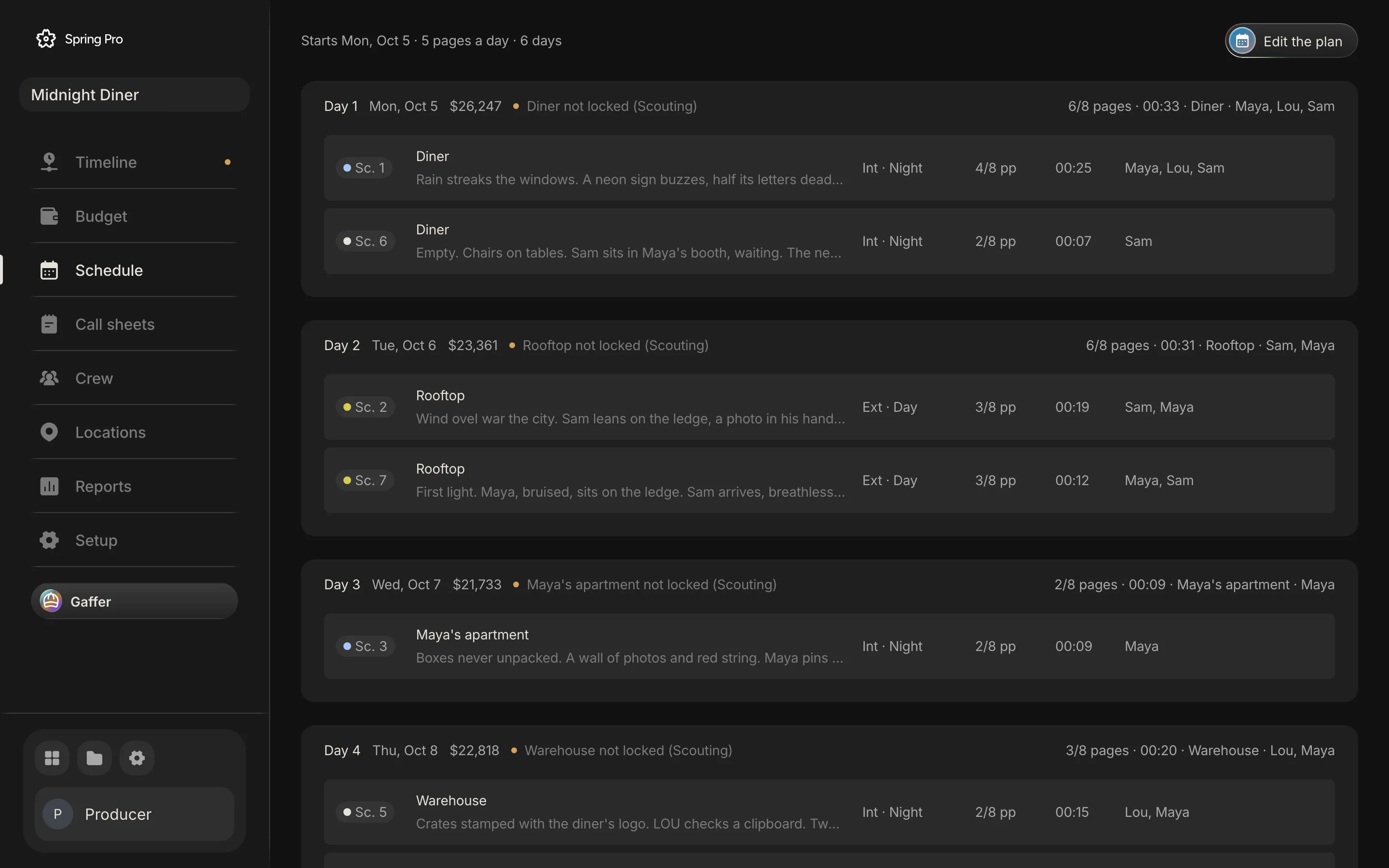
Updated 2026-10-12. Every screen is Spring Pro running Midnight Diner, our demo production.
At a glance
| What you need | StudioBinder, per its own homepage | Spring Pro |
|---|---|---|
| Screenwriting | Listed (screenwriting, AV scripts) | Yes: Hollywood page, imports Final Draft and Fountain, exports Fountain and PDF |
| Breakdown and stripboard | Listed | Yes |
| Storyboards and shot lists | Listed (plus mood boards) | Yes (plus art and cinematography boards) |
| Call sheets | Listed, with distribution tracking and analytics | Yes; prints, does not email yet |
| Production budget | Not listed on the homepage | Yes |
| Video editing | Not listed on the homepage | Yes |
| Assistant that reads the production | Not listed on the homepage | Gaffer |
What StudioBinder does well
- It is broad. Its own homepage lists five areas: Write (screenwriting and AV scripts), Breakdown (element tagging, stripboards, sides, reports), Visualize (mood boards, shot lists, storyboards), Plan (contacts, production calendars, task boards, a media library) and Shoot (call sheets, distribution tracking, analytics).
- It is cloud-based, so the whole team works from a browser.
- It lists call sheet distribution tracking, which Spring Pro does not have: Spring Pro prints a call sheet and does not email it from the app yet.
Where Spring Pro goes further
- Its homepage does not list budgeting among its product areas. Spring Pro has a production budget built from the schedule and the crew deals, with a lock, a change log, spend approvals and cash flow.
- Its homepage does not list video editing. Spring Pro has the edit in the same project: the animatic and the director's cut on one timeline.
- It does not list an assistant that reads the whole production. Spring Pro has Gaffer, which answers from the schedule, the crew, the locations and the money, and changes nothing unless asked.
When not to choose Spring Pro
- You need call sheets emailed with read receipts. Spring Pro does not distribute them yet.
- You need payroll, timecards or accounting ledgers. Spring Pro has none.
- You run several units or several episodes in one schedule. Spring Pro does not support that yet.
- Your team already works well in StudioBinder and nothing in the budget or the edit matters to you.
How to decide
Ask where your production loses time. If the pain is the call sheet going out and being read, StudioBinder's distribution tracking is a real answer. If the pain is the budget living in a spreadsheet that stops matching the schedule, or the cut living in another app, that is where Spring Pro goes further.
Both can be true. The honest test is to run one real production through each and see which one you stop opening.
What this page does not say
It does not compare prices. StudioBinder's pricing page does not load without a browser, so we have not quoted it, and Spring Pro's own pricing is not published yet. Check both vendors' current pages before you decide.
Sources
- StudioBinder homepage, product areas and tagline, checked 2026-10-12.
Questions
Is Spring Pro a StudioBinder alternative?
For planning, yes: screenplay, breakdown, stripboard, shot lists, storyboards and call sheets. It also adds the production budget and the edit in the same project, and it does not email call sheets or do payroll.
Can I move my script from StudioBinder?
As a script, yes. Spring Pro imports Final Draft (.fdx) and Fountain files, so if you can export your script in either format, you can import it.
Does Spring Pro work in a browser?
Yes. It runs in a web browser with nothing to install.
Set up your
production today.
The script, the storyboard, the schedule, the call sheets and the budget in one project.