Shooting schedule softwareScenes become strips. Strips become shoot days.
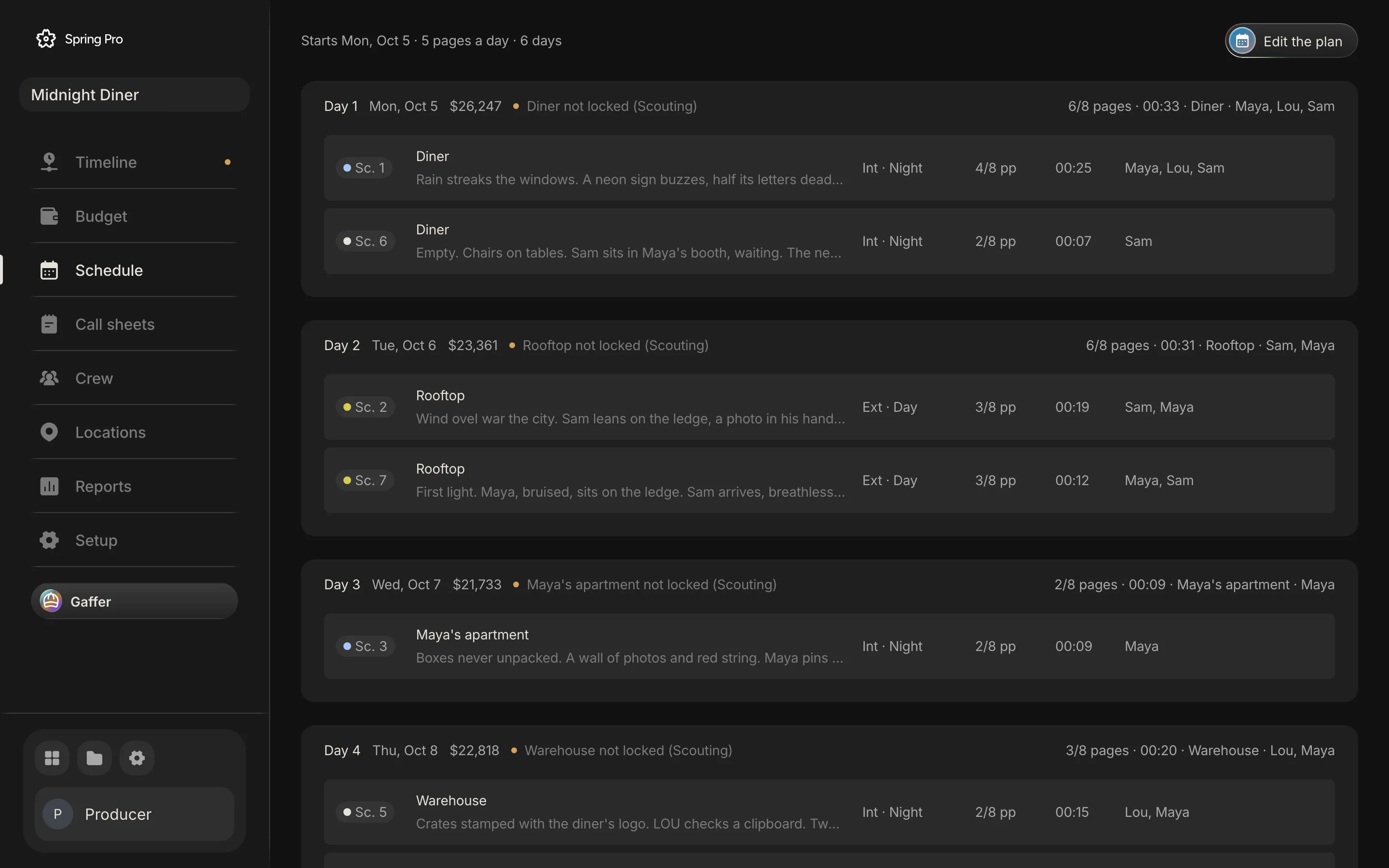
A shooting schedule turns the script into days. In Spring Pro every scene is already a strip, sized from its own pages, so building the schedule is moving strips into days, and every day shows its pages, its cast, its sets and what it costs.
Updated 2026-10-12. Every screen is Spring Pro running Midnight Diner, our demo production.
A stripboard from the script
Every scene is a strip with its number, set, interior or exterior, day or night, length in eighths and cast. Drag a strip into a day, or between days, and the day's page count, screen time and cast update as you drop it. A scene that is not in a day is listed as not scheduled, so nothing is lost.
Plan the shoot in one step
Plan the shoot builds a first schedule for you: scenes grouped by set and by day or night, script order kept inside a set, and each day filled up to your pages-a-day target. Set the first shoot day and whether weekends are shoot days, and every day gets its date.
Each day warns you when it goes over the page target, holds more than one set, or mixes day and night, the three things a 1st AD checks first.
What each day costs
Because the crew's deals and the budget live in the same project, every shoot day shows its planned cost, and a day that has wrapped shows what it really cost, with overtime from the wrap time. Moving a scene to another day moves its cost with it.
Day out of days and the daily report
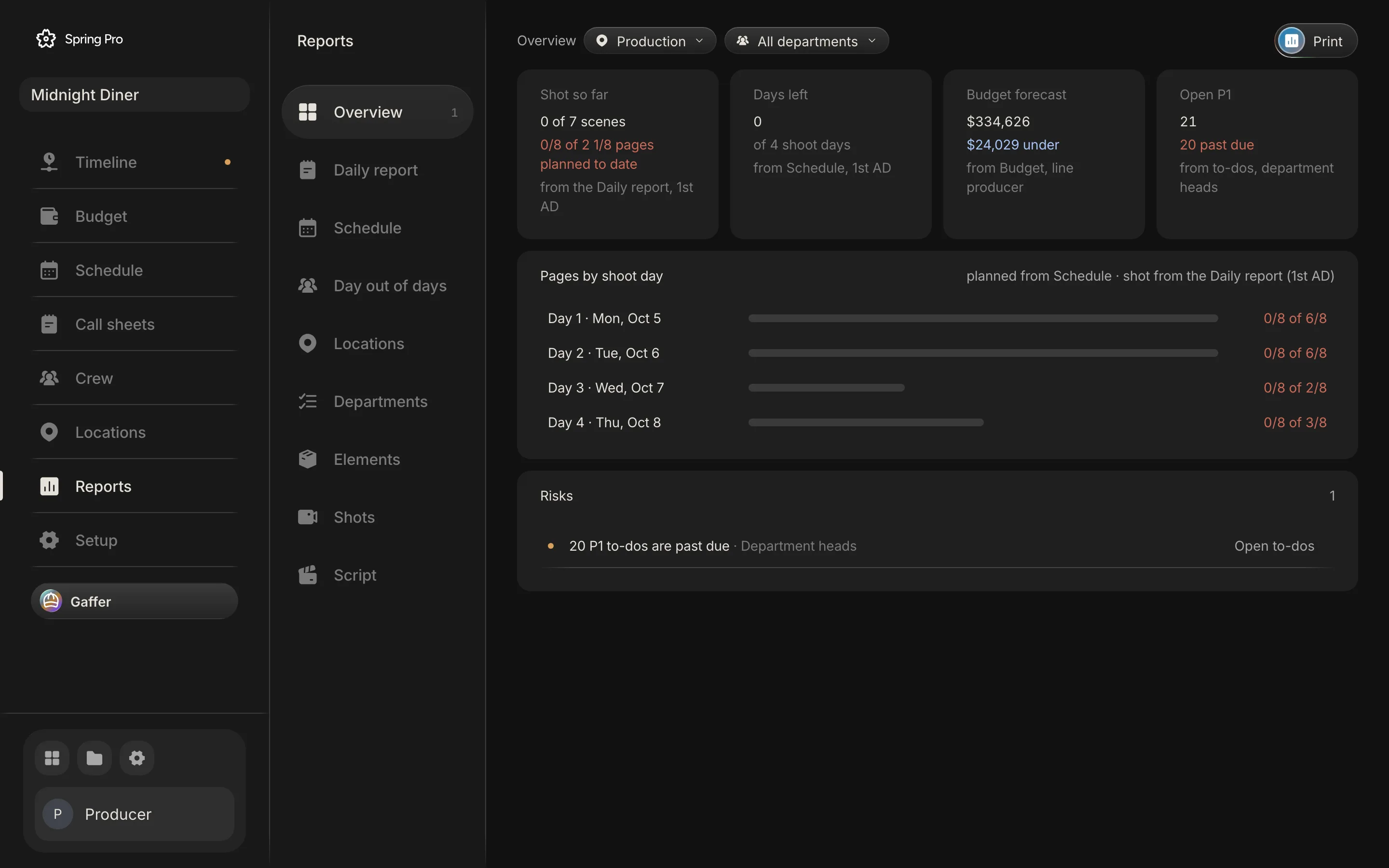
The day out of days report shows, for every character, the days they work, the days they are held and the first and last day, so holds can be cut before they are paid. After each day, the daily report records the first shot, lunch, wrap, the scenes completed and any delays, and the schedule knows what is shot.
Who builds the schedule
The 1st AD builds the shooting schedule, the production manager checks it against locations, cast availability and money, and the producer signs it off. Department heads read it for their own days, and the cast read their days on the day out of days.
Connected to the call sheet and the budget
Each shoot day in the schedule is a call sheet, with its scenes, location and cast already filled in. Each day is also a cost in the budget, from the crew who work it and the rentals that run every shoot day, so a longer schedule shows its price before it is agreed. When a location is not locked for a day this week, the day says so, and the reports list it as a risk with the location manager as its owner.
Built for short films and features
A two-day short and a forty-day feature use the same schedule. Set the pages-a-day target that fits the production, plan the shoot, and adjust day by day.
Questions
Can I build the schedule by hand?
Yes. Drag strips into days yourself, or start from Plan the shoot and adjust.
Do dates update when days move?
Yes. Dates follow the order of the days from your first shoot day, skipping weekends unless you shoot them.
Is there a day out of days report?
Yes, for every character, from the same schedule.
More about shooting schedule
A schedule is a labour bill. The cost of an error is paid in hours.
- Film production scheduling: the whole picture. The complete guide
- A film shooting schedule template, laid out as a stripboard.
- How to make a shooting schedule for a film, with a real sample.
- Turnaround and meal breaks on a film shoot: the rules and a calculator.
- What a day out of days report is, and how to read one.
- One line schedule vs stripboard: the same four days, three ways.
- How to schedule a night shoot for film: the calls, the meals, the rest and the loadings.
- Film weather cover day: how to swap a rain day, with worked costs.
- Scheduling through script revisions: the colours, the routine and what each change costs.
- What is a stripboard?
- What is a day out of days?
- What is turnaround on a film set?
Set up your
production today.
The script, the storyboard, the schedule, the call sheets and the budget in one project.