Storyboard softwareA storyboard for every scene, built on the script.
Spring Pro is storyboard software where the board and the screenplay are the same project. Every scene in the script gets a frame, a shot list and a place for each department, so the storyboard never drifts away from the page it was drawn from.
Updated 2026-10-12. Every screen is Spring Pro running Midnight Diner, our demo production.
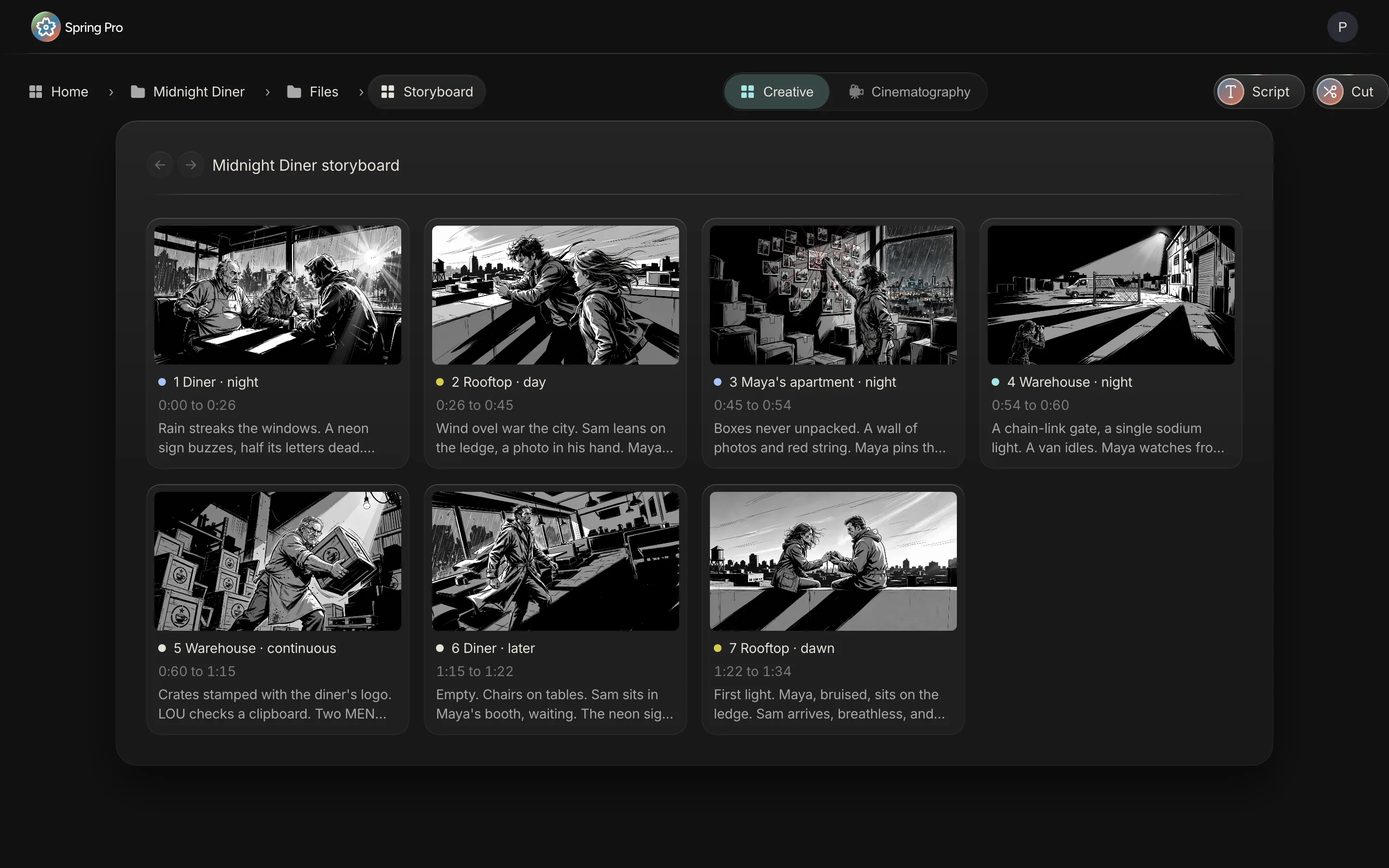
Every scene gets a frame
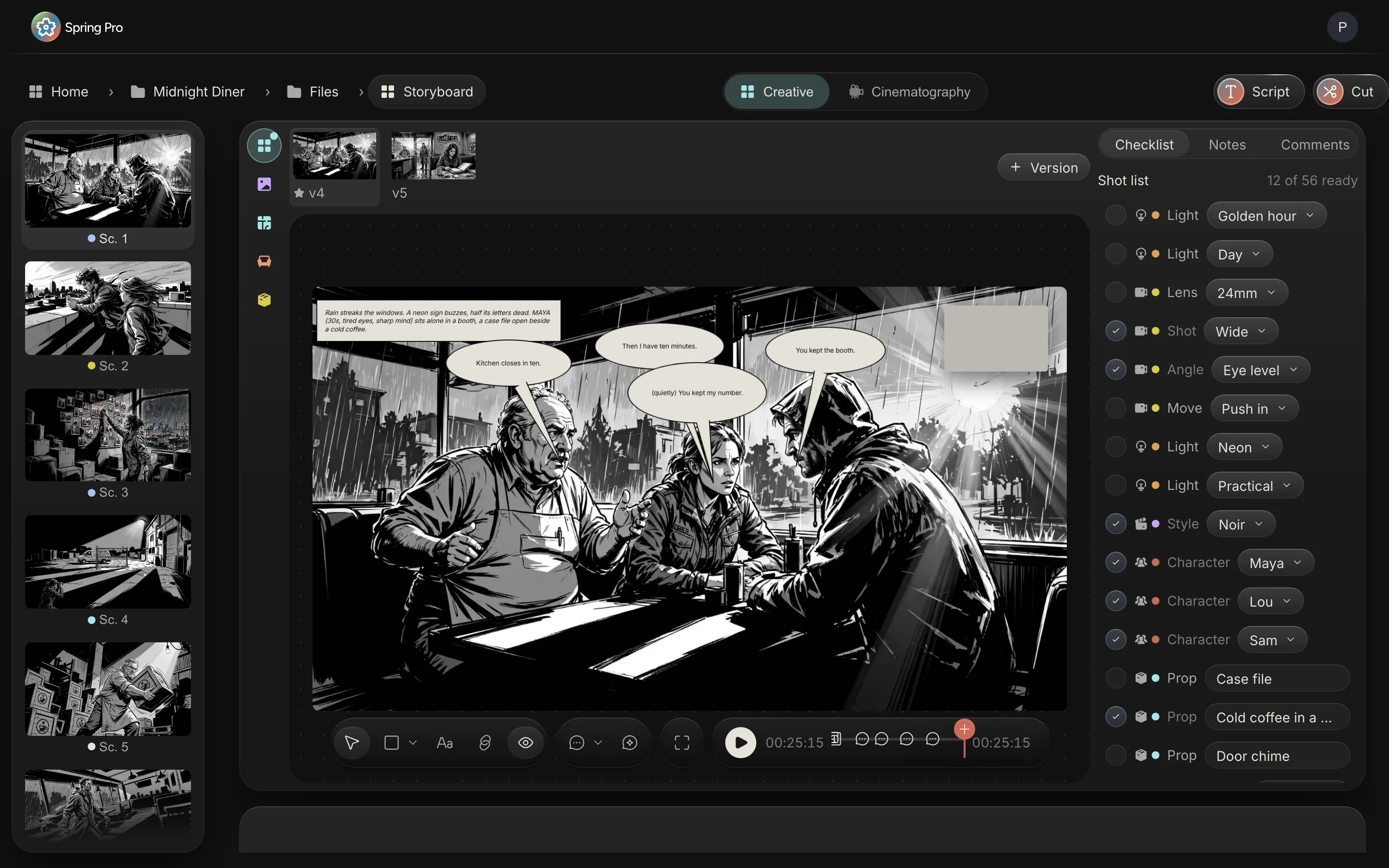
When you write a scene heading, the scene exists on the board. Open it and you see its frame, its dialogue and its shot list side by side. You draw on the frame, drop in a reference image, or start from a first-pass sketch drawn from the scene's own words and the film's style frame, then redraw it as your own.
The scene's dialogue sits on the frame in balloons, one line at a time, so the frame reads the way the scene plays. Arrows, notes, shapes and text sit on top of the picture without changing it.
Versions, and one picked frame
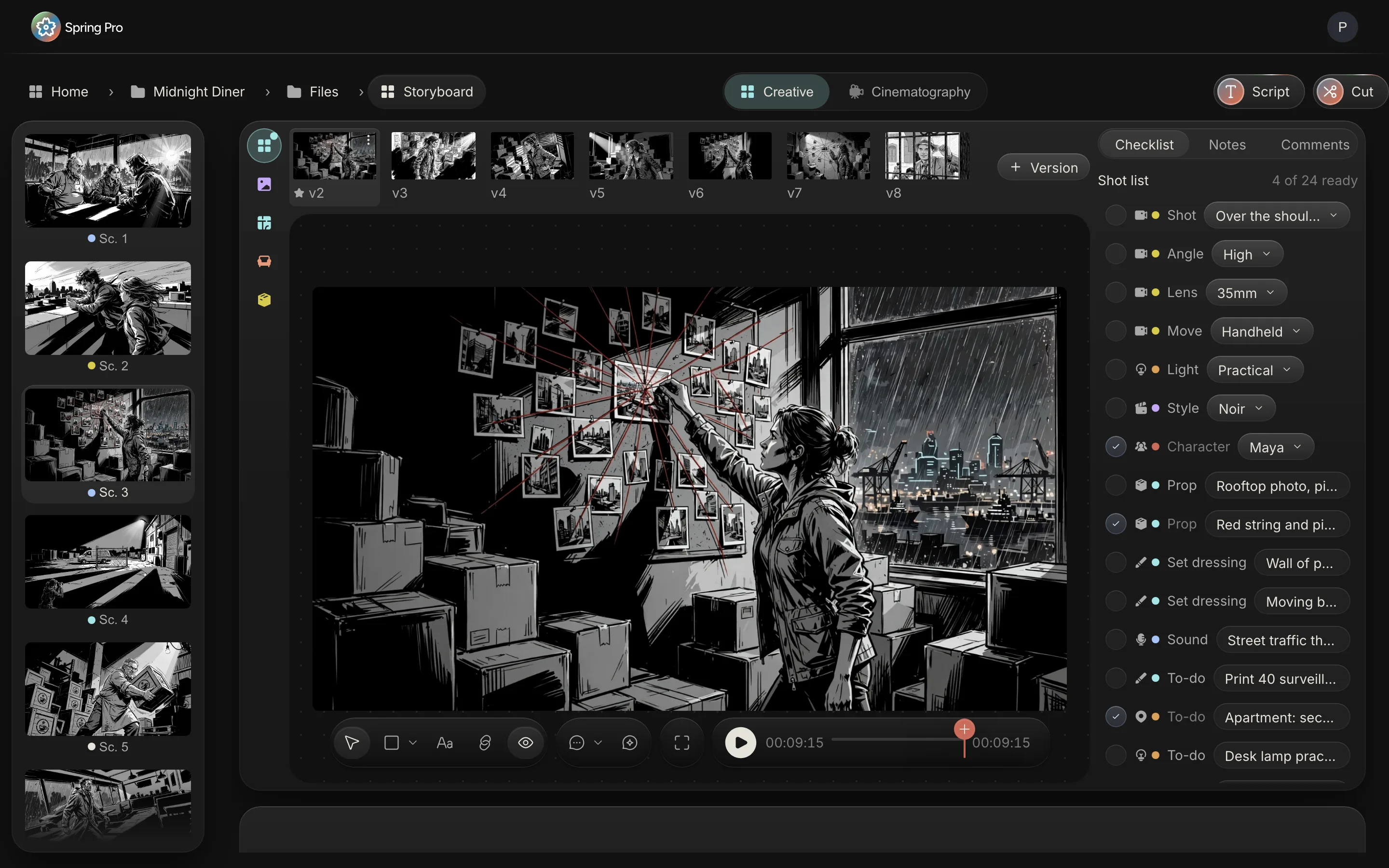
A frame rarely lands the first time. Every attempt is kept as a version in a row above the frame, so the director can compare the wide against the close, or the day light against the night. One star marks the frame the film uses, and that is the frame the storyboard, the animatic and the cut show.
Comments can be pinned to a version and to a moment in the scene, so a note about the second line of dialogue stays on the frame it was about.
A shot list on every frame
Beside the frame is the shot list: shot size, angle, lens, camera move, light and style, picked from the standard choices (wide, close, over the shoulder; 24 mm to 135 mm; static, push in, tracking, handheld, crane). The characters in the scene, the props, set dressing, wardrobe, hair and makeup, vehicles, special effects, sound and VFX are listed in the same place.
Each row belongs to a department and can be ticked off, so the shot list is also the department to-do list for that scene.
Boards for art and cinematography
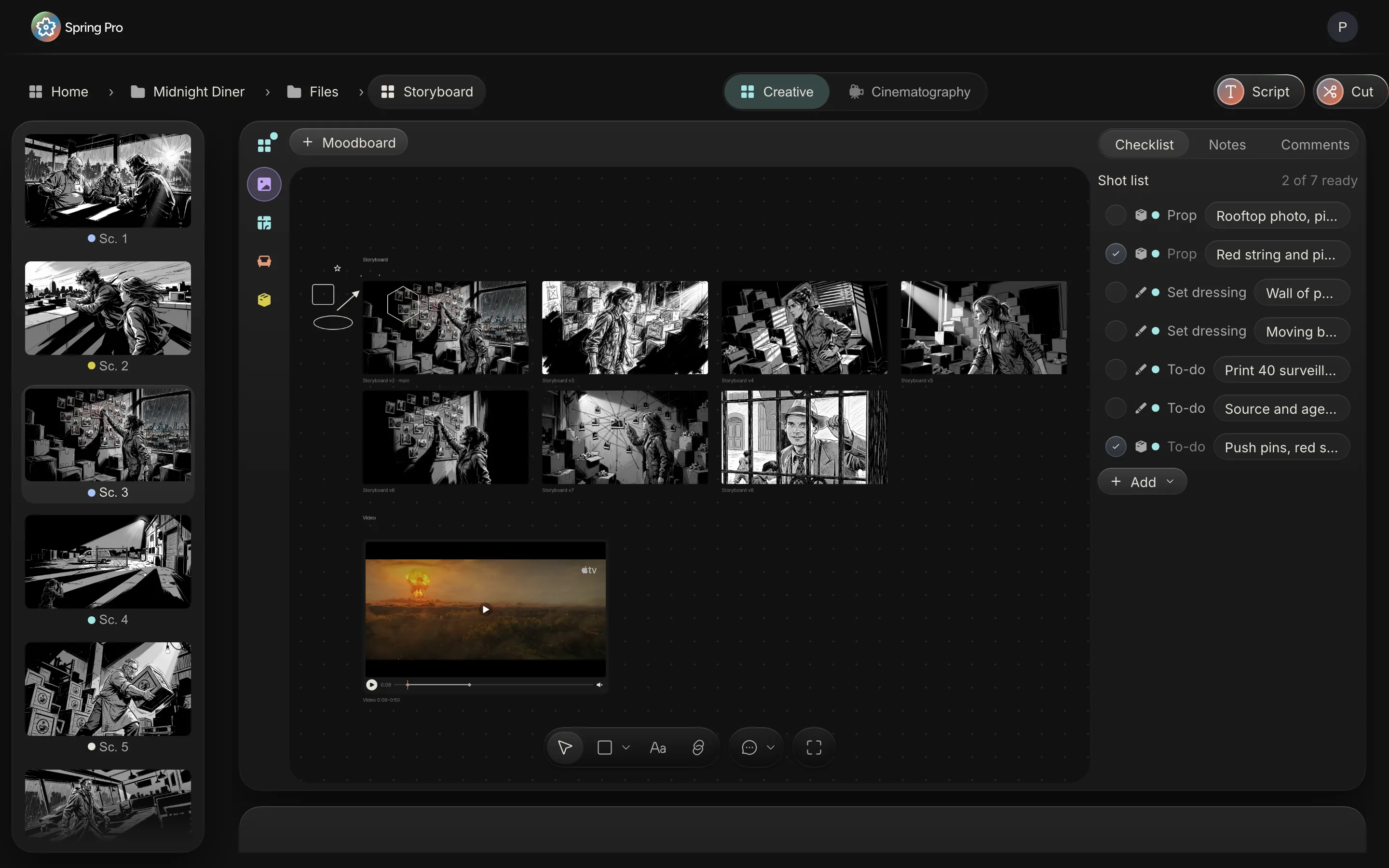
The storyboard is the director's view. The same scene also has an art view, with a moodboard of references on a free canvas and boards for the set, the dressing and the props, and a cinematography view, with a floor plan, the camera and the light plan. Each department works on the scene it belongs to, with its own versions, instead of in a separate file.
The board plays as an animatic
Every scene has a planned length, from its page count and its dialogue. Press play and the picked frames run at their scene times with the dialogue, as an animatic, so the film can be watched for pace before a single shot is taken. The same frames sit on the timeline when the edit starts.
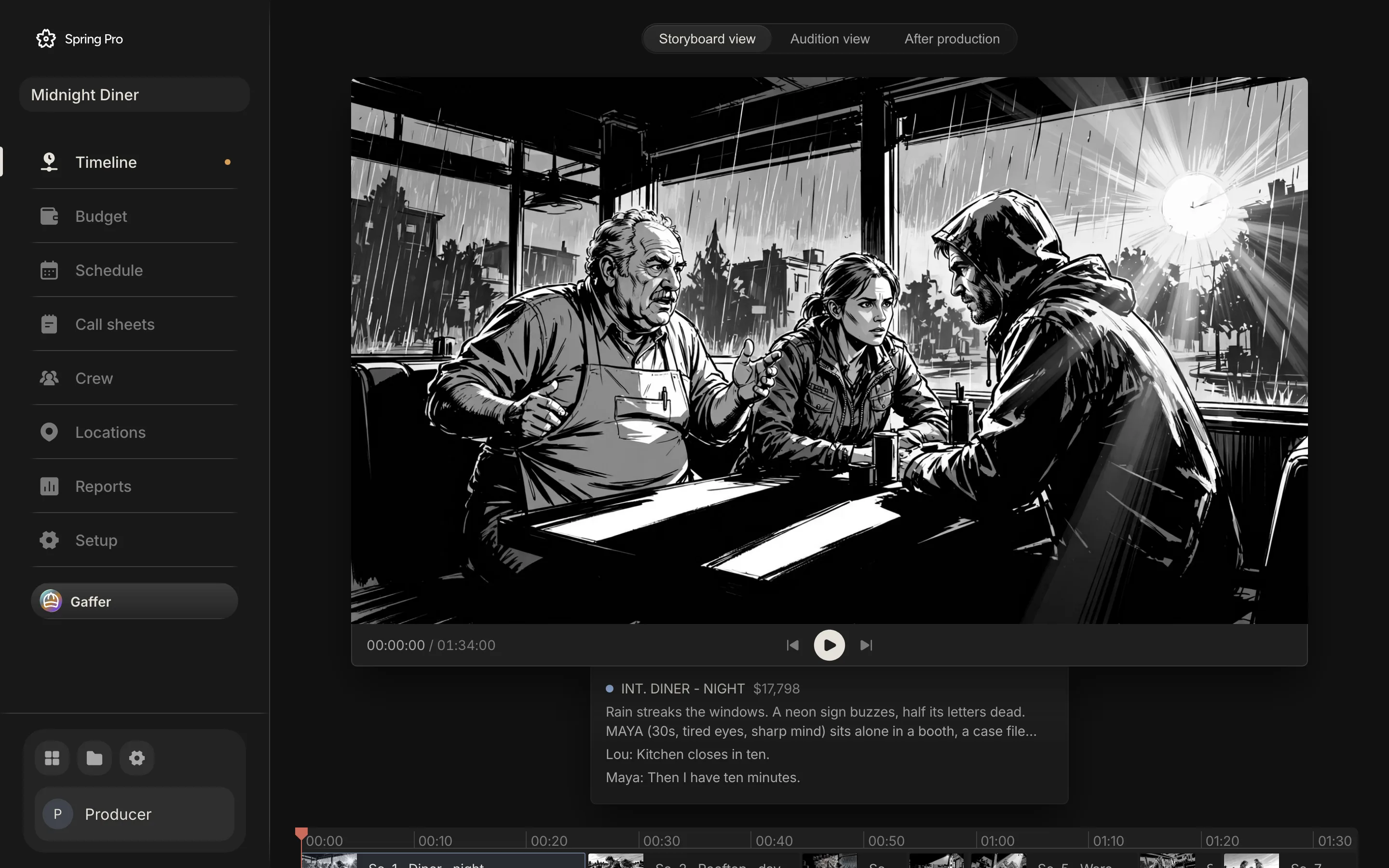
Who works on the board
The director picks the frame and the shot. The storyboard artist draws and redraws the versions. The director of photography plans lens, move and light on the same scene, and the production designer collects references and boards the set and props. Producers and the 1st AD read the shot list as the work that has to be ready before the day, because every row belongs to a department and can be ticked off.
Connected to the rest of the production
The storyboard is not a separate file. The scenes it boards are the scenes of the screenplay, the same scenes the schedule puts into shoot days and the call sheet prints. Cast in a frame are the characters of the script, and the frames run as the animatic on the same timeline the edit is made on. When the script changes, the board keeps its place, so nothing has to be copied between a storyboard tool, a spreadsheet and an editor.
Questions
Do I have to draw?
No. You can sketch on the frame, drop in photos or references, or start from a first-pass frame drawn from the scene's words, and replace it at any time.
Does the storyboard follow script changes?
Yes. The board is keyed to the scenes of the script, so a new scene heading adds a frame and the board keeps its order as the script changes.
Can I import my script?
Yes. Final Draft (.fdx) and Fountain files import into the screenplay, and the board is built from their scenes.
More about storyboard and design
Directors, camera and art need to see the same scene before the day, and the plan has to survive the changes.
Set up your
production today.
The script, the storyboard, the schedule, the call sheets and the budget in one project.