Game preproduction softwareThe game changes.
The story keeps up.
Levels get cut, bosses move, mechanics change. Spring Pro is game preproduction for the creative team and the producer who runs it: write the cutscenes, storyboard every shot and time the animatic in one project, and see what a change breaks before it costs a capture day.
Works alongside Unreal Engine, Unity and Godot. Screens shown on our film demo, Midnight Diner; a cutscene works the same way.
Get the highlights.
INT. LAB - NIGHT
Rain on the skylight. Maya crosses to the console.
Nobody comes in here after midnight.
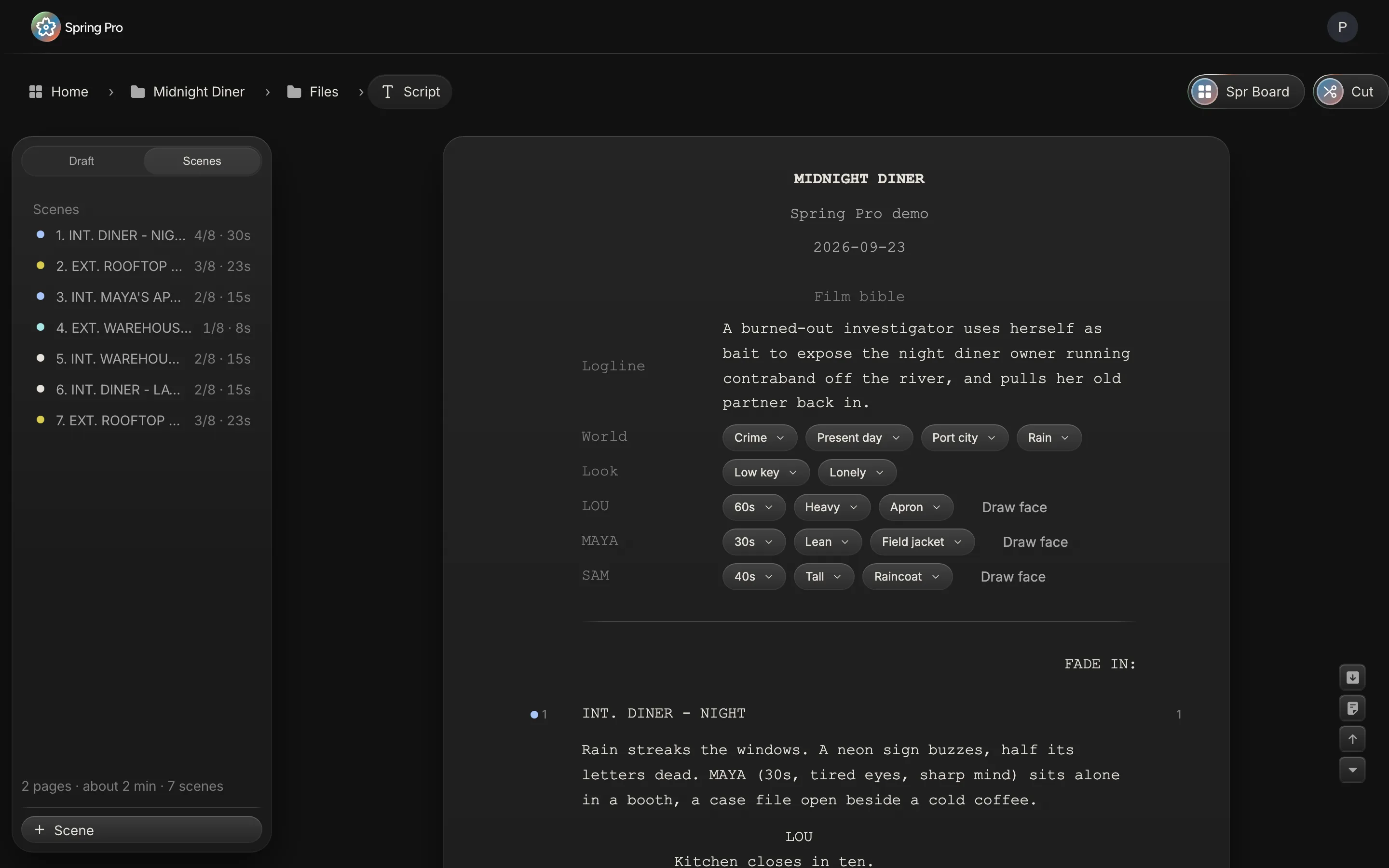
Write the cutscenes. The real script page, as you type.
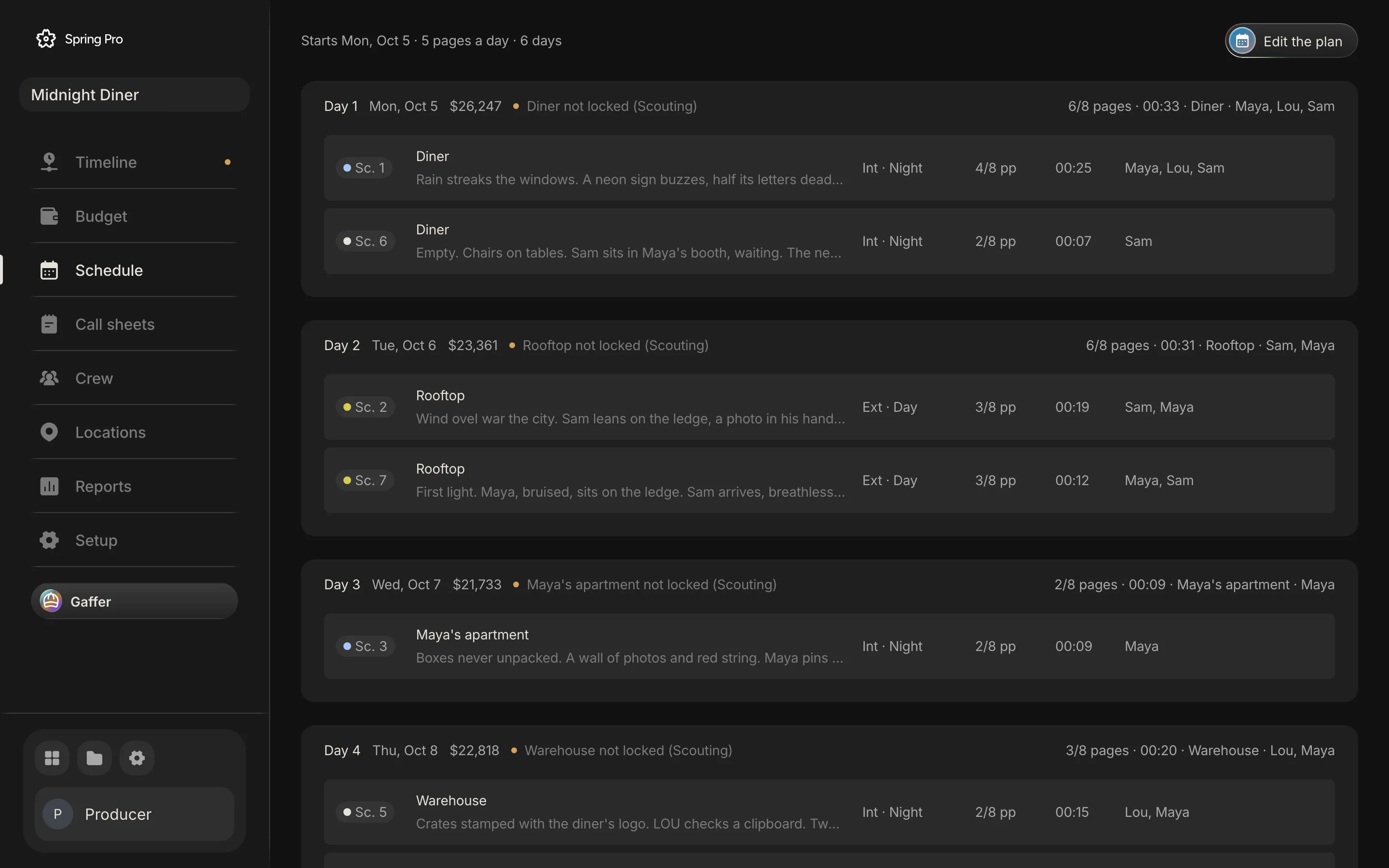
Plan the capture. Mocap and voice days from the page.
Capture every camera. Reference cameras in one clean multiview. Coming
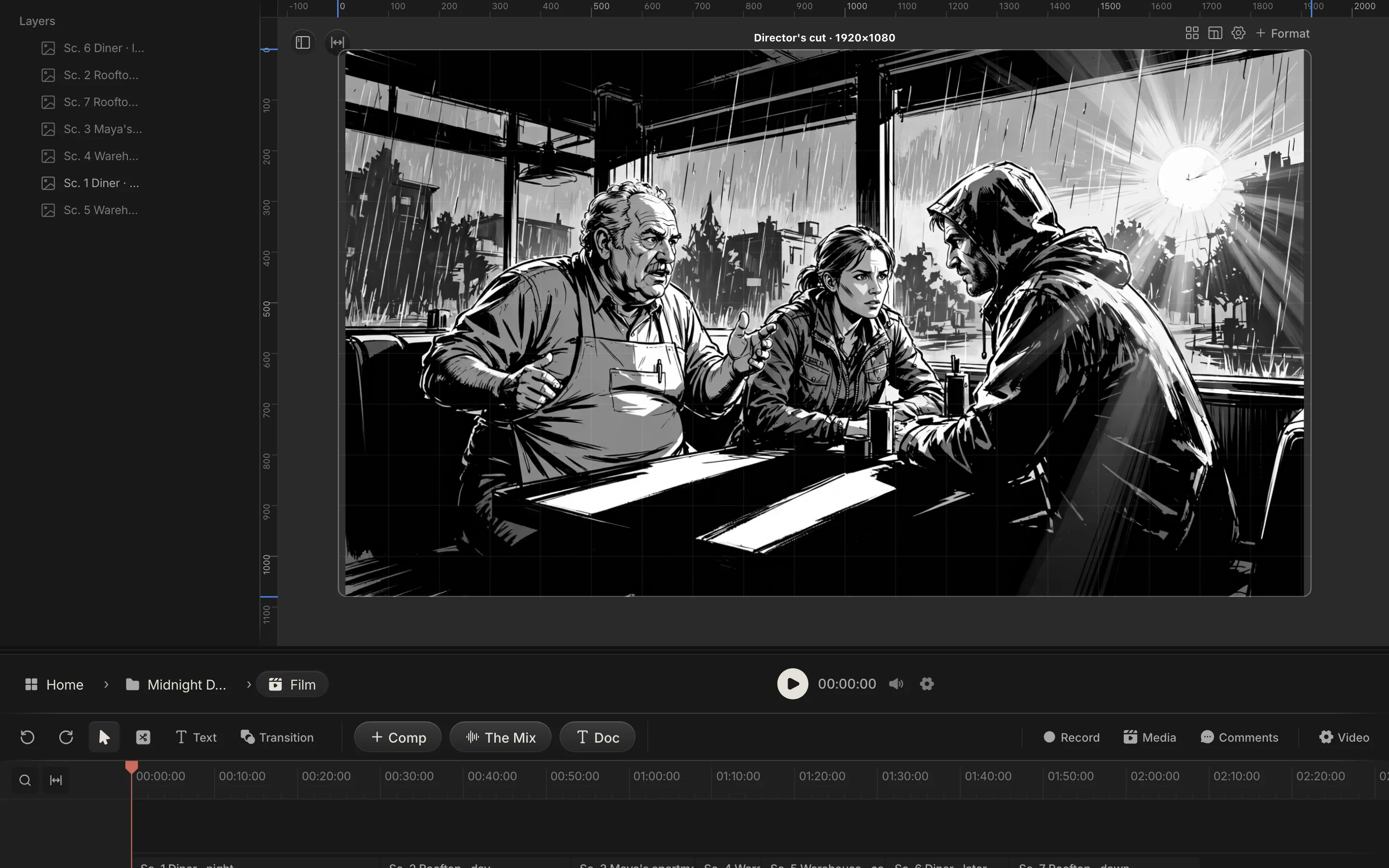
Cut the cinematic. Storyboard, animatic and capture on one timeline.
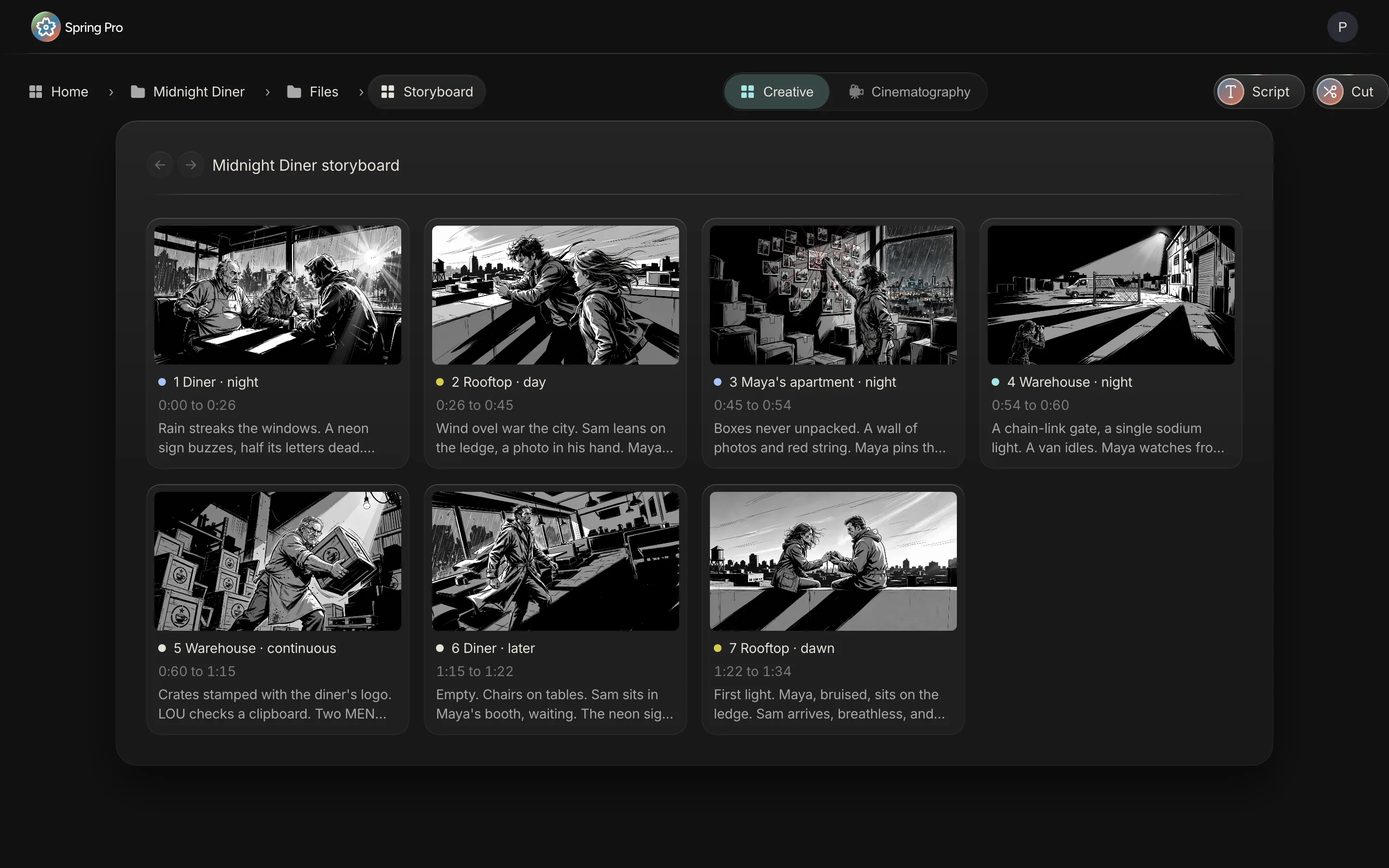
Board every cutscene. A frame, the dialogue and a shot list per scene.
Where preproduction breaks
The game changes.
The story breaks quietly.
A game's story is written while the game is still being built. Every cut level, moved boss and changed mechanic lands on the story, and the script, the boards, the voice lines and the capture plan all live in different places. Nobody sees what broke until review.
Creative drives the game
Players remember
the story.
The engine team has Unreal, Unity, version control and a ticket system. The story team gets a doc and a spreadsheet. Spring Pro is the creative side of the game development pipeline: the script, the game storyboard, the animatic and the capture plan in one project, built for writers, cinematic directors and storyboard artists, not for tickets.
Write
Cutscenes that read
like a script.
Story and narrative development for video games starts on a real page: the one a cinematic director expects, every cutscene numbered and timed as you type, instead of a loose doc no one trusts.
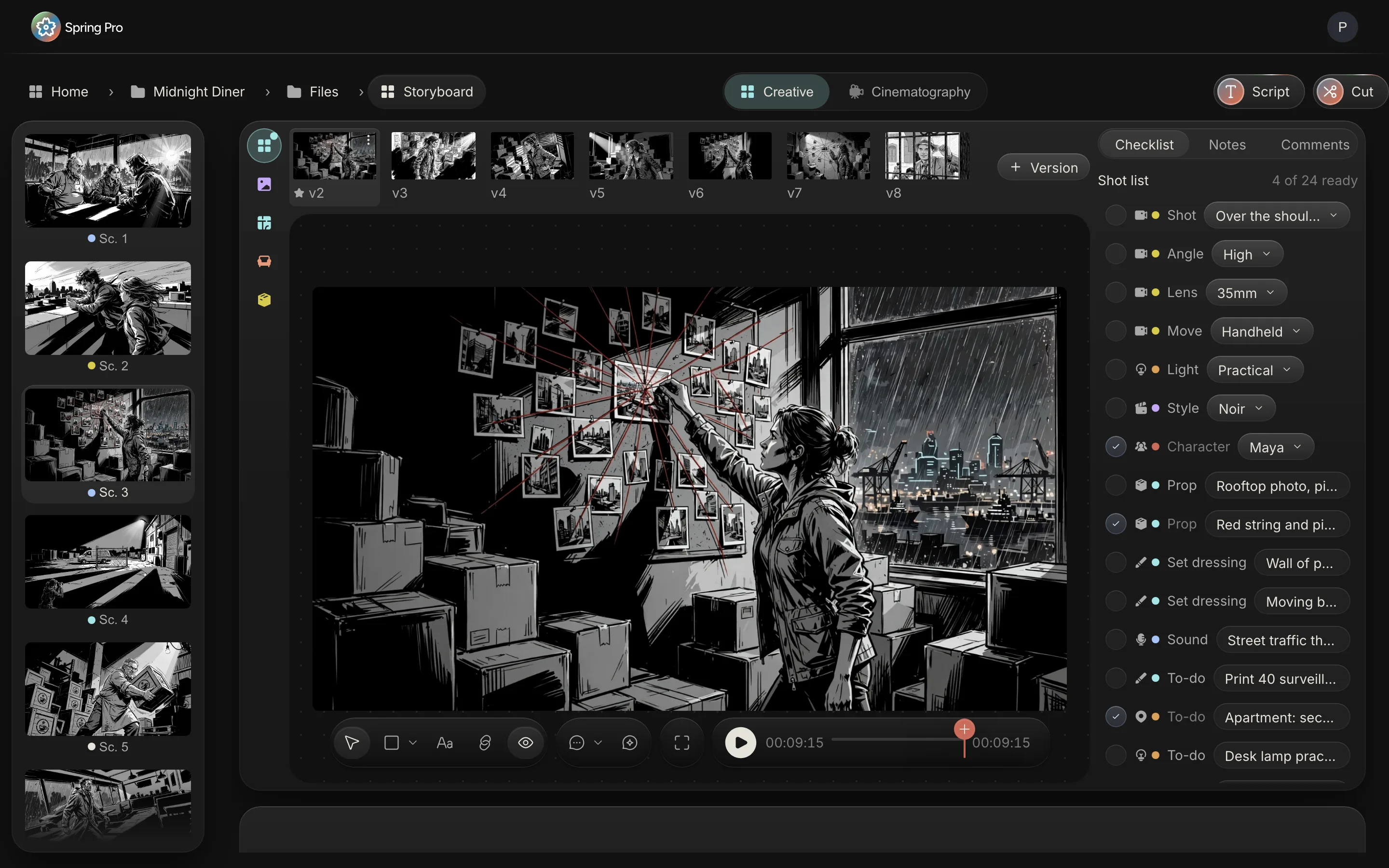
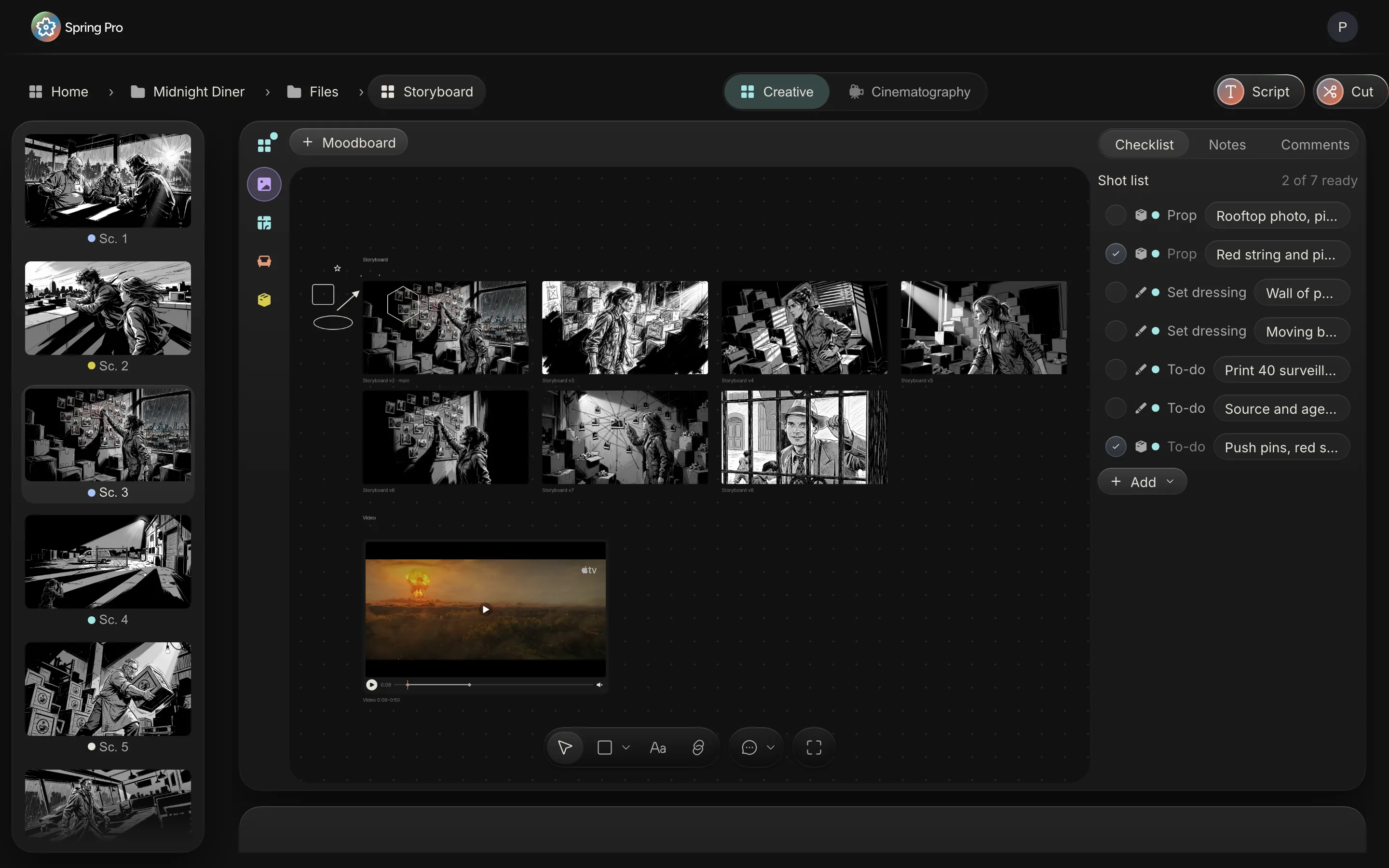
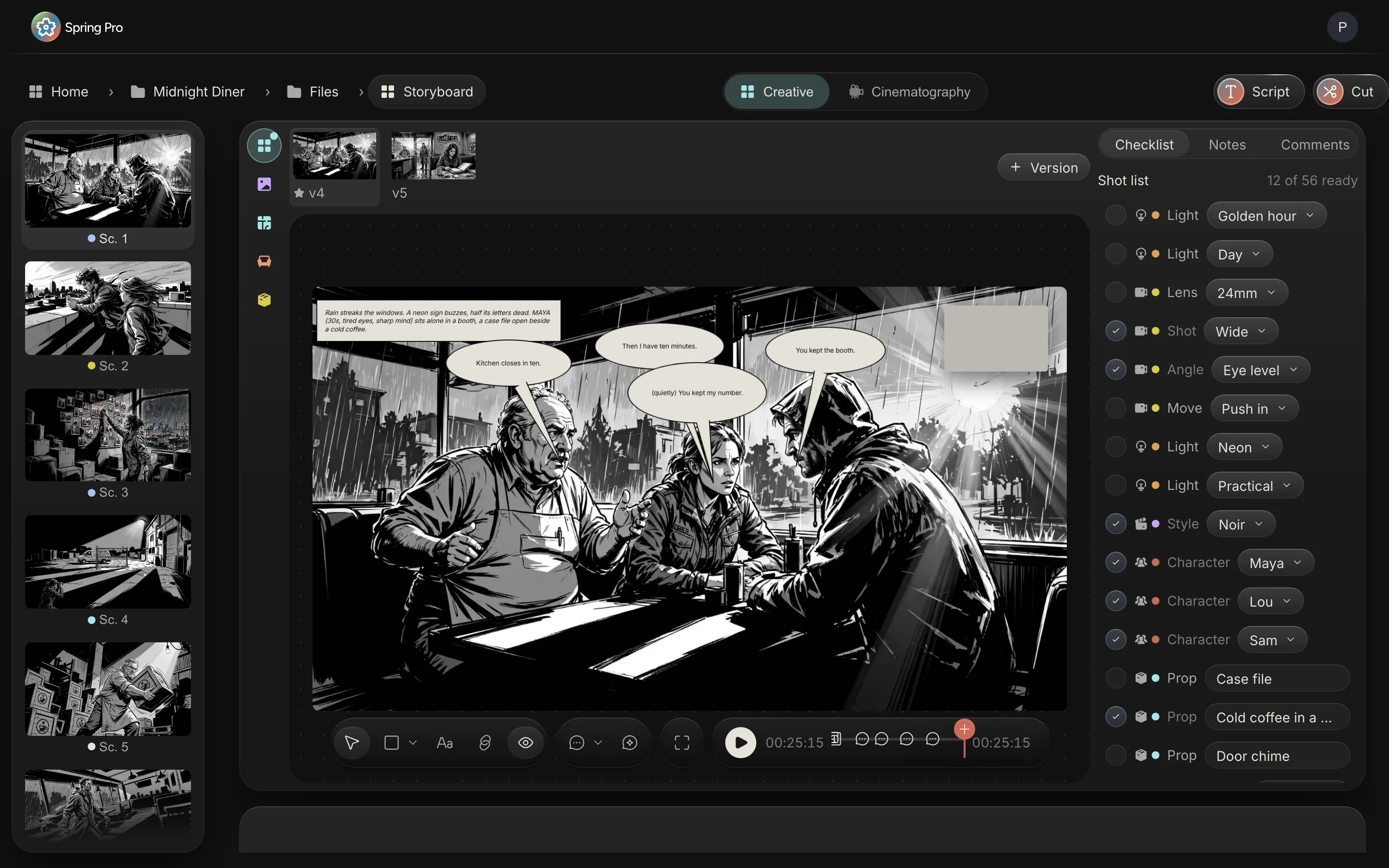
The page a cinematic director expects, with the bible on top. Final Draft and Fountain files come in, and the script goes out as Fountain or a PDF.Every scene a frame, its lines in balloons, and a shot list each department works from.Try the frame many ways; every version is kept and one star picks the one in use.Art collects references on a free canvas, beside its props and set list.
Storyboard
A game storyboard
that keeps up.
Draw the video game storyboard from the script itself: frame by frame, with lens, light and staging. Rewrite a cutscene and you see exactly which boards changed, instead of finding out in review.
Tag it once.
Use it everywhere.
Select a word, say what it is. Tag all mentions finds it on every page, and one list serves the whole project.
- Characters, props, levels, wardrobe and the rest, by category.
- One list the storyboard, the capture schedule and the call sheet all read, so art and capture plan from the same facts.
Cutscenes become strips.
Strips become capture days.
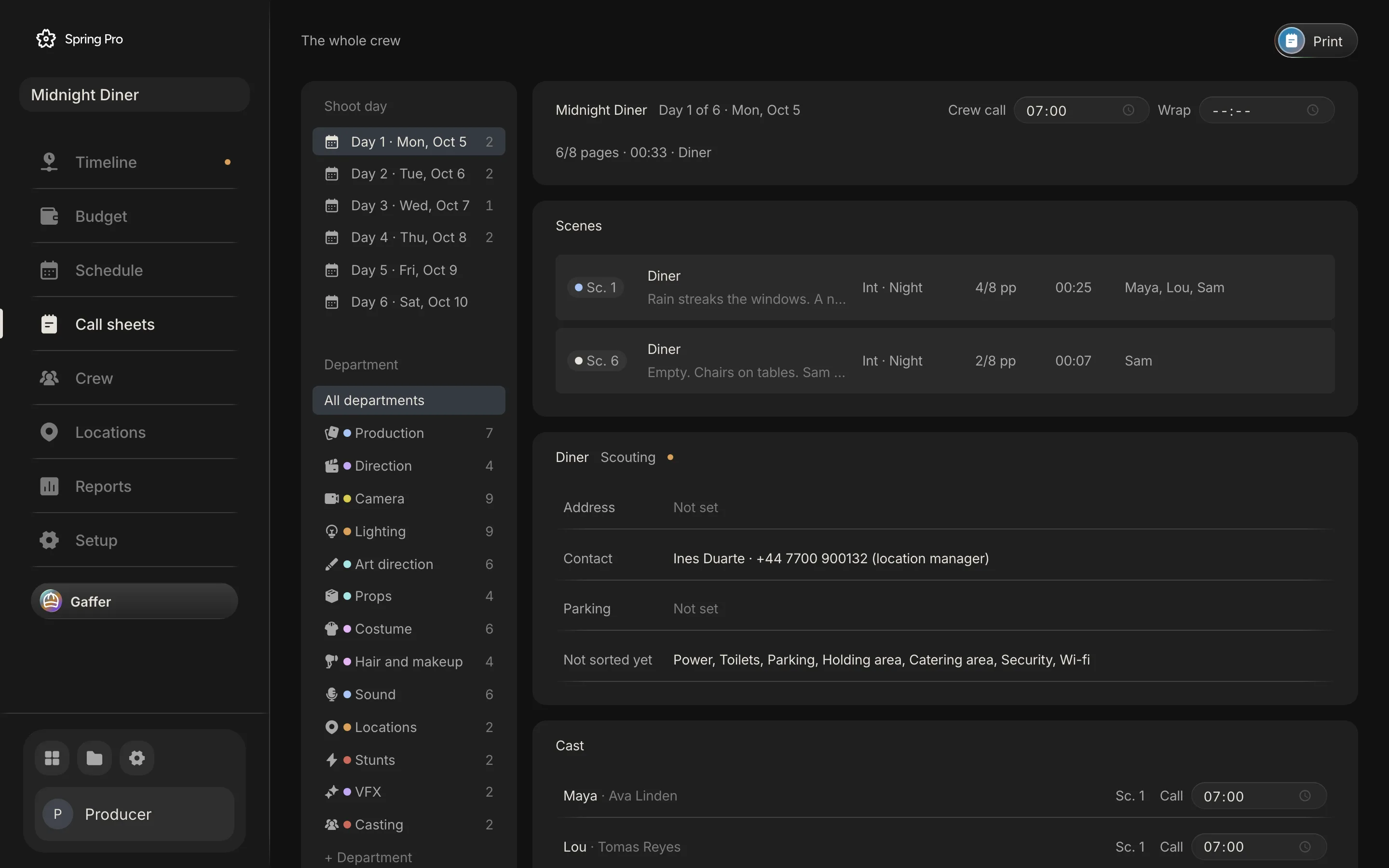
Every cutscene is a strip, sized from its own script. Move a mocap day, and the performers, stages and sides follow, so no one prepares for a scene that was cut.
The sheet, ready
before the capture.
Pick a capture day. Performers, crew, times and stages fill in from the schedule, and the sides carry only that day's pages.
A first board for every cutscene.
A first-pass frame drawn from each scene's own words, so artists start from a pass, not a blank page. Tasks sit by department at the shot they belong to.
Produce
Run the creative,
not the tickets.
A game's story is brain work across departments: narrative writes, art designs, cinematics boards and stages, audio records. Spring Pro gives the producer one place to run it, organised by cutscene, not by ticket, so every discussion sits next to the frame it is about.
Change
Cut a level.
See what it touches.
Rewrite the draft and Spring Pro shows every scene that is new, changed, split, merged or removed before anything moves. A change becomes a decision with a price, not a surprise at the milestone.
Game production management
Twenty-two ways
games lose the story.
The hard part of making a big game is rarely the code. It is keeping the story, the art and the performance aligned while the game changes under them. Here is where it goes wrong, and how Spring Pro answers each one.
Scope and change
The game moves.
The plan moves with it.
Scope creep
New features keep landing on the story. Every addition comes into the draft as a reviewed change, so the team sees what it adds before saying yes.Feature cuts
A cut level orphans its cutscenes, lines and art. Removed scenes are kept and everything that hung off them is shown, so a cut is clean and can come back.Moving milestones
Vertical slice, alpha, content lock: the dates move and the story has to replan. Plan cutscenes against milestones and see what is ready for each one. ComingDesign by iteration
Gameplay is found in playtests, so the story chases a moving target. Draft, board and change fast: a new draft updates the scenes without starting over.Dependencies and hand-offs
Every department,
one cutscene.
Invisible dependencies
A cutscene needs the level, the models, the voice and the mocap, and no one sees the chain. Each cutscene holds what it needs, so a missing piece shows before review. ComingDepartment hand-offs
Every hand-off from story to art to cinematics loses context. Each department works on the same cutscene, in its own mode, from the same script.Outsourcing briefs
Outside studios work from a brief that was out of date when it was sent. Share the cutscene itself, script, boards and references, from a link that stays current. ComingVoice, performance and localization
Every line,
from page to booth.
Voice-over volume
Tens of thousands of lines, alternates and barks. Every line tracked from the script to the recorded take. ComingActor scheduling
Performers are booked months ahead, and pickups cost a second session. Sessions planned from the script, with the lines each performer needs that day. ComingMocap stage days
Stage days are expensive and booked on pages that change. Capture days built from cutscenes, flagged when a page changes after booking. ComingLocalization
Every line in ten or twenty languages, and each change multiplies. Changed lines flagged for every language before they go to translation. ComingCreative alignment
One vision,
hundreds of people.
Vision drift
The creative director's intent thins out across hundreds of people. One storyboard, one animatic and one art direction per cutscene that everyone works from.Approval bottlenecks
Creative director, franchise, publisher, platform: every round needs a watchable version. Star the approved version and send the animatic from a link, with nothing to install.Scattered feedback
Notes arrive in chat, email, meetings and spreadsheets. Comments sit on the frame and the version they are about.Style consistency
Moodboards and style guides go stale in twenty places. Art direction lives beside each cutscene: moodboard, set, dressing and props, versioned.Visibility and planning
Know where
the story stands.
Status reporting
Producers rebuild status by hand before every milestone. Written, boarded, animatic, captured and locked, for every cutscene, on one screen. ComingEstimating creative work
Nobody knows how long a cutscene runs until it is recorded. The animatic times every scene from its dialogue, so length is known in preproduction.Content budget
Capture days, voice sessions and outsourcing drift from the plan. Cost follows the scene and the day, so a change shows its price before it is made.Asset tracking
Thousands of assets, and no link to the story they serve. Assets tagged to the cutscenes that need them, alongside your asset tracker. ComingPeople
Less rework.
Less crunch.
Crunch
Most late crunch is rework nobody saw coming. Changes are seen and priced early, so rework is planned instead of discovered.Onboarding
New hires and contractors need the story fast. The project is the context: script, boards and animatic in one place from day one.Knowledge loss
When a lead leaves, the reasons leave with them. Versions, notes and removed scenes are kept, so decisions stay readable years later.Where others stop
Every tool owns
one step.
Narrative tools own the words, storyboard apps own the frames and engines own the build. Pre production game development happens between them, and that is where teams lose the plan. Spring Pro is the part in between.
| Narrative tools | Spring Pro | |
|---|---|---|
| Script | ||
| Game storyboard | ||
| Animatic with dialogue timing | ||
| Capture schedule and call sheets | ||
| The cinematic cut, motion and 3D | ||
| One project from page to cinematic |
Capture planning is coming. Script, storyboard and cut are here today.
Capture Coming, desktop
Every reference camera,
one clean screen.
The mocap stage and the voice booth, decoded on your own machine, live in one multiview.
Cut
The animatic,
before the engine.
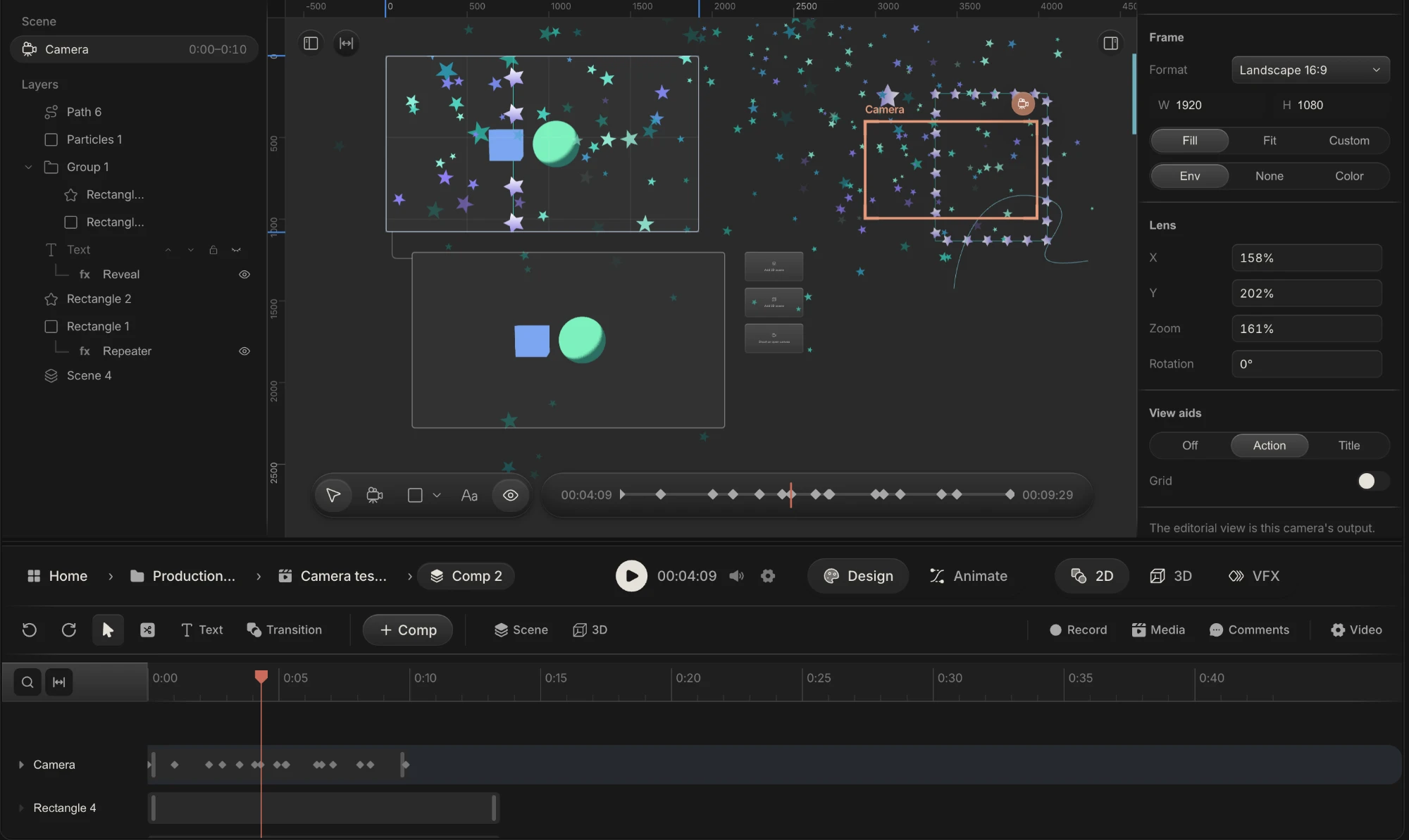
Every board lands on one timeline at the length its dialogue takes to speak, with the lines appearing as they are said. The studio sees the cutscene before a single asset is built. Lock the story here, build it in the engine: Spring Pro works alongside Unreal Engine, Unity and Godot, it does not replace them.
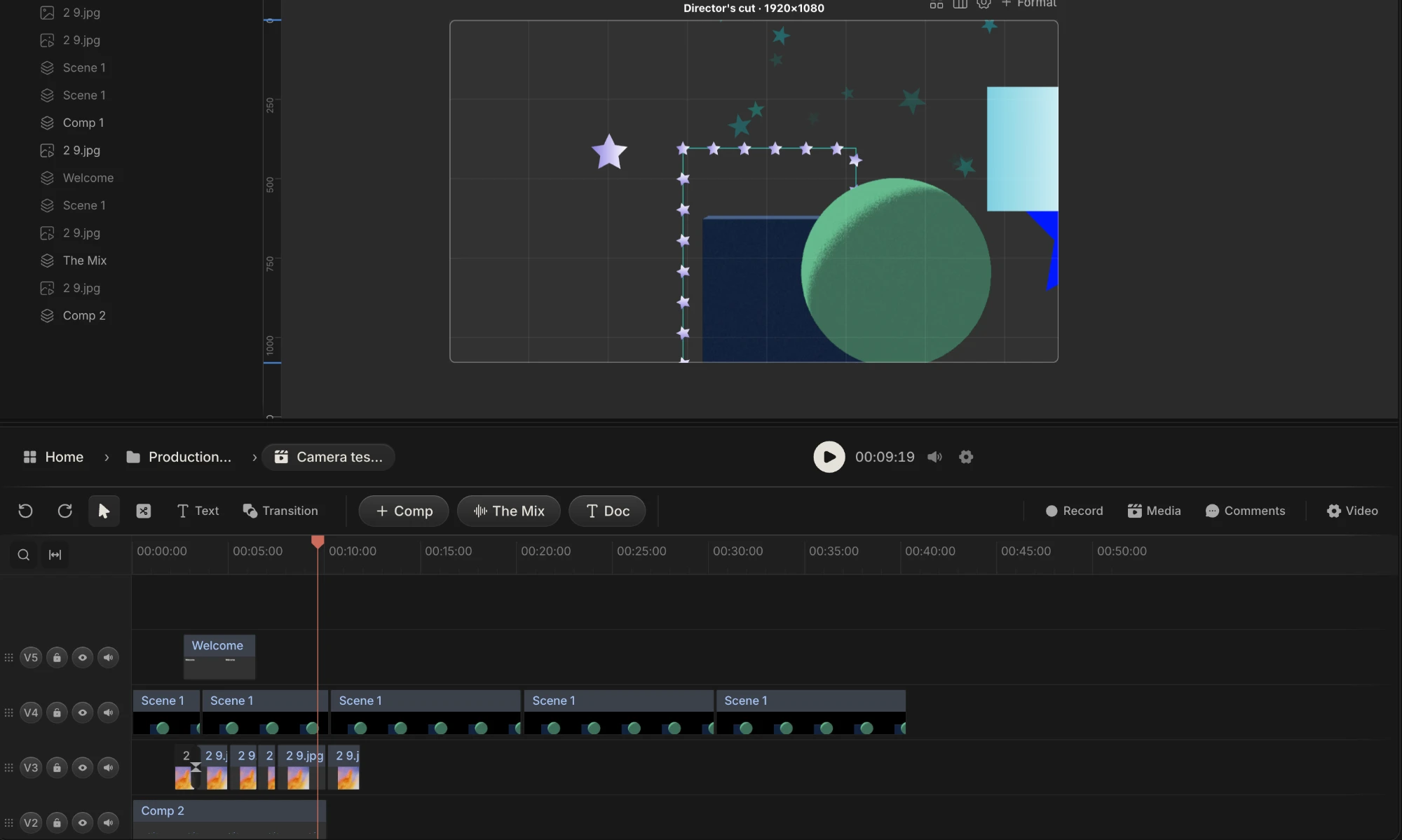
Send the animatic. They press play.
A link opens the cutscene in a clean player for the director, the studio or the publisher, with nothing to install.
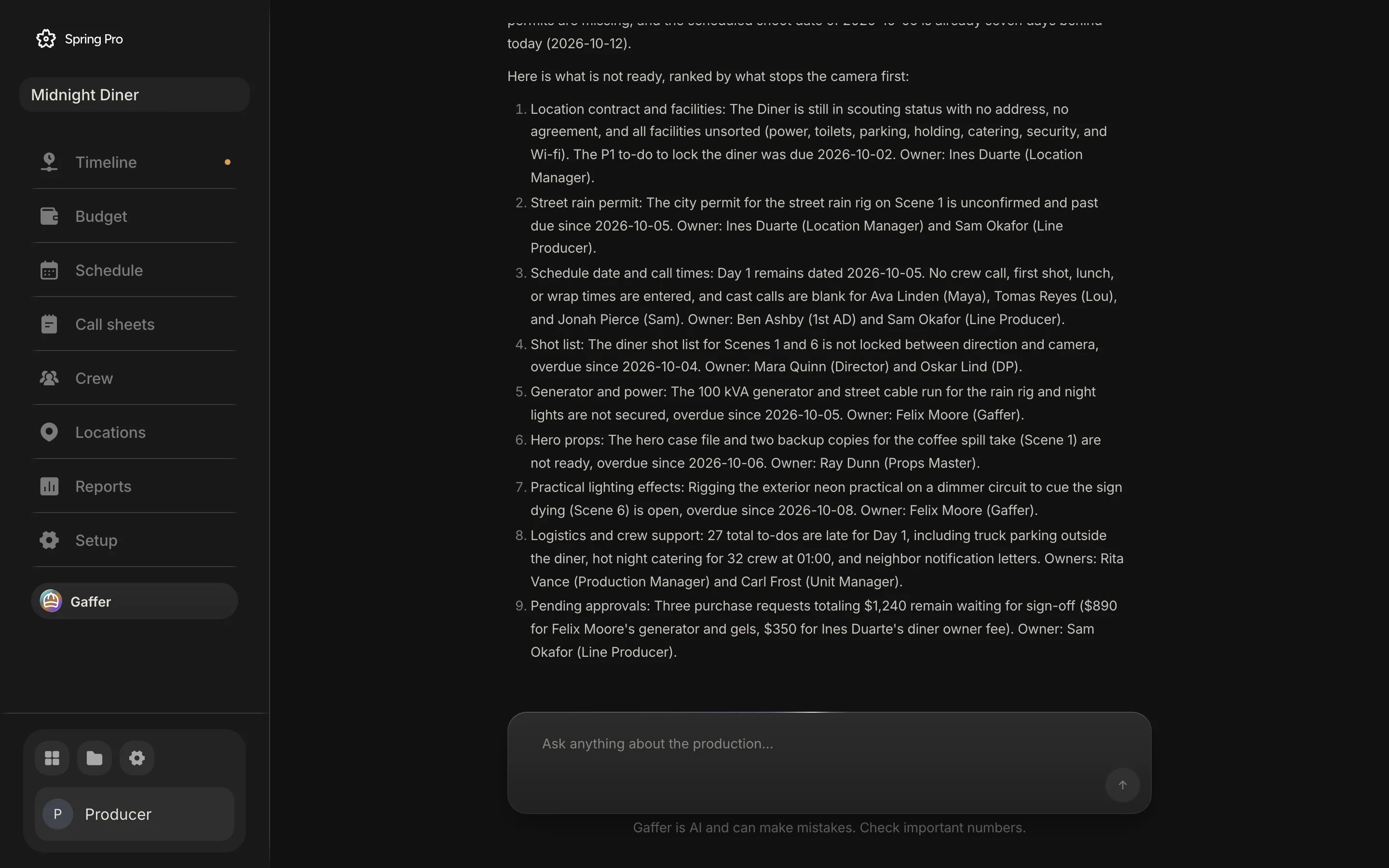
Gaffer
An assistant that reads
the whole production.
Ask "are we ready for the capture day?" and Gaffer answers from the schedule, the people, the locations and the money. It changes nothing unless you ask.
One script.
Everything follows. Coming
Select a cutscene or the whole script and decide what it becomes: a trailer, one cinematic, or the whole campaign, with only what you need switched on.
Stop losing the plan
between drafts.
Write, storyboard and cut the animatic today. Capture planning is next.