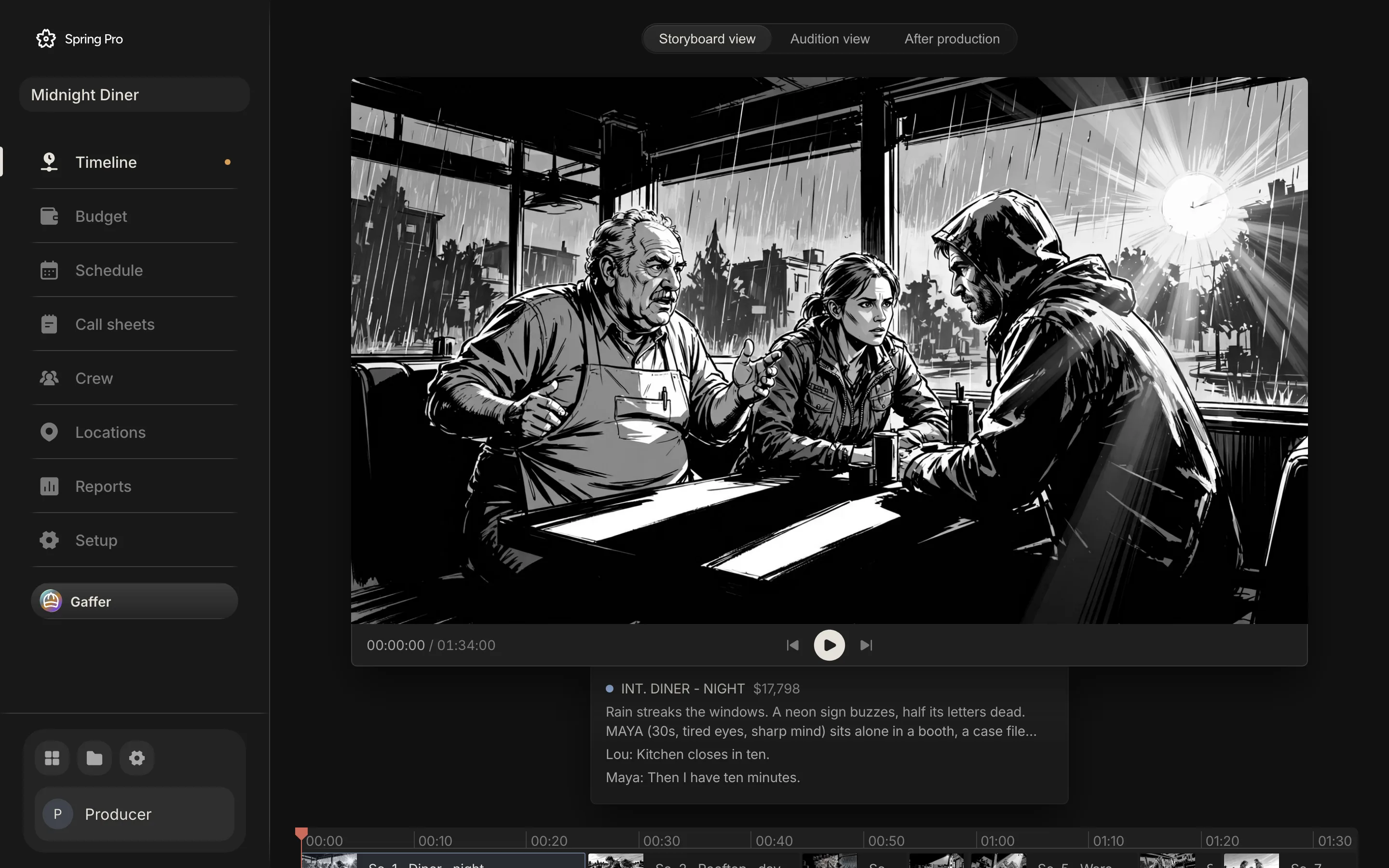
The film plays before it is shot. Frames at their scene times, with the dialogue, as an animatic.
Script, storyboard, schedule, call sheets and budget in one project. Rewrite a scene and the pages, the shoot days, the call sheets and the cost update themselves, with nothing retyped between tools.
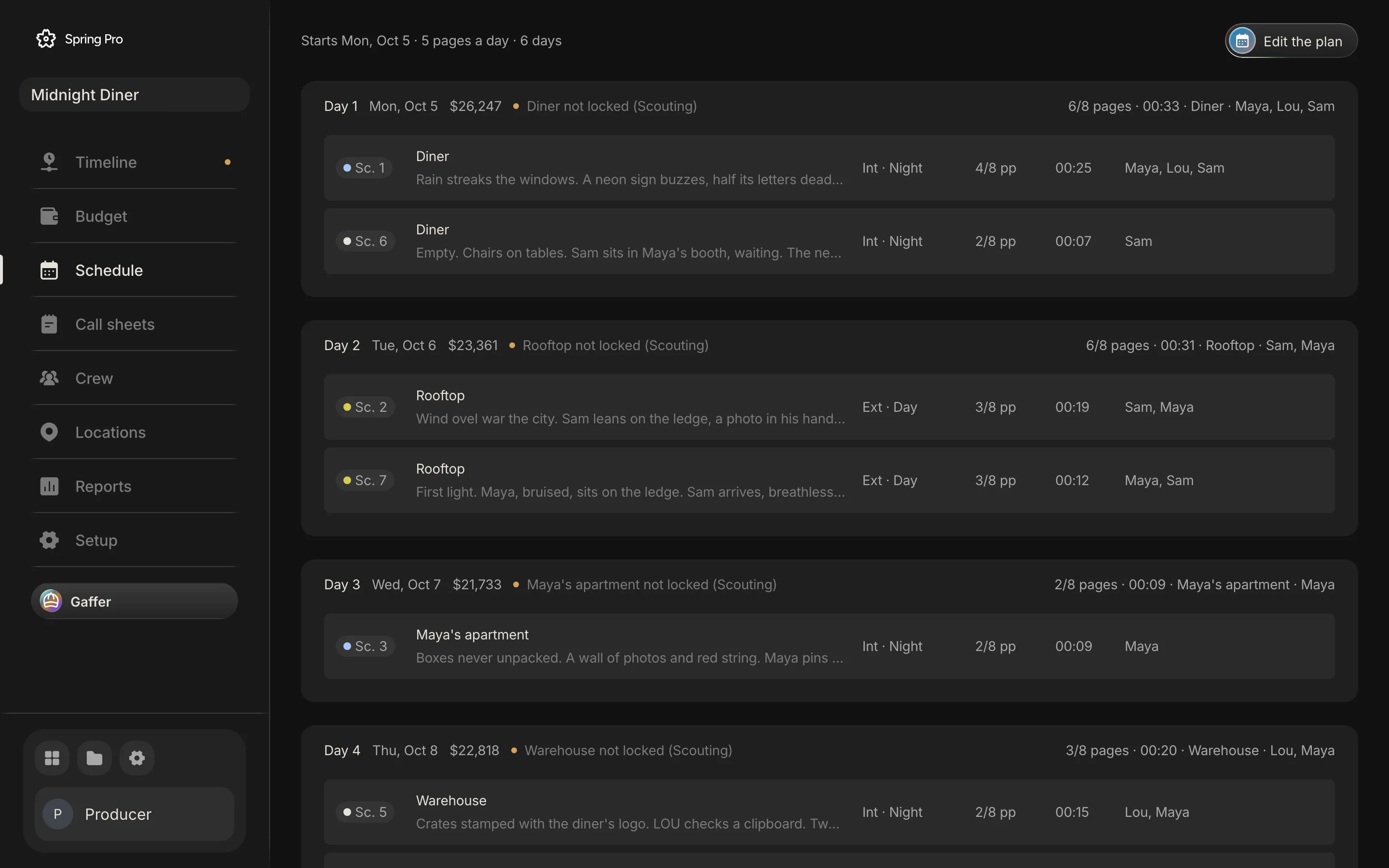
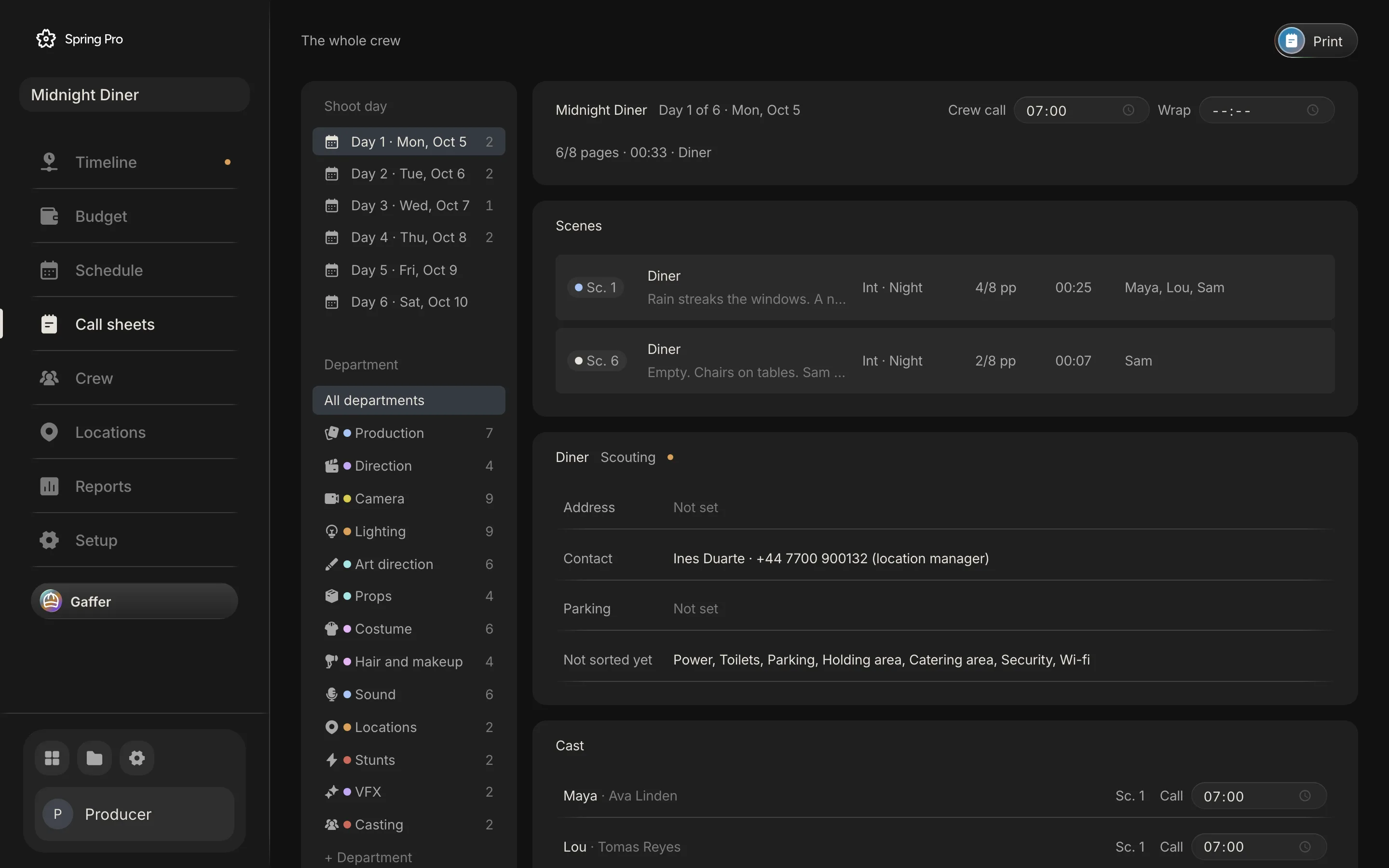
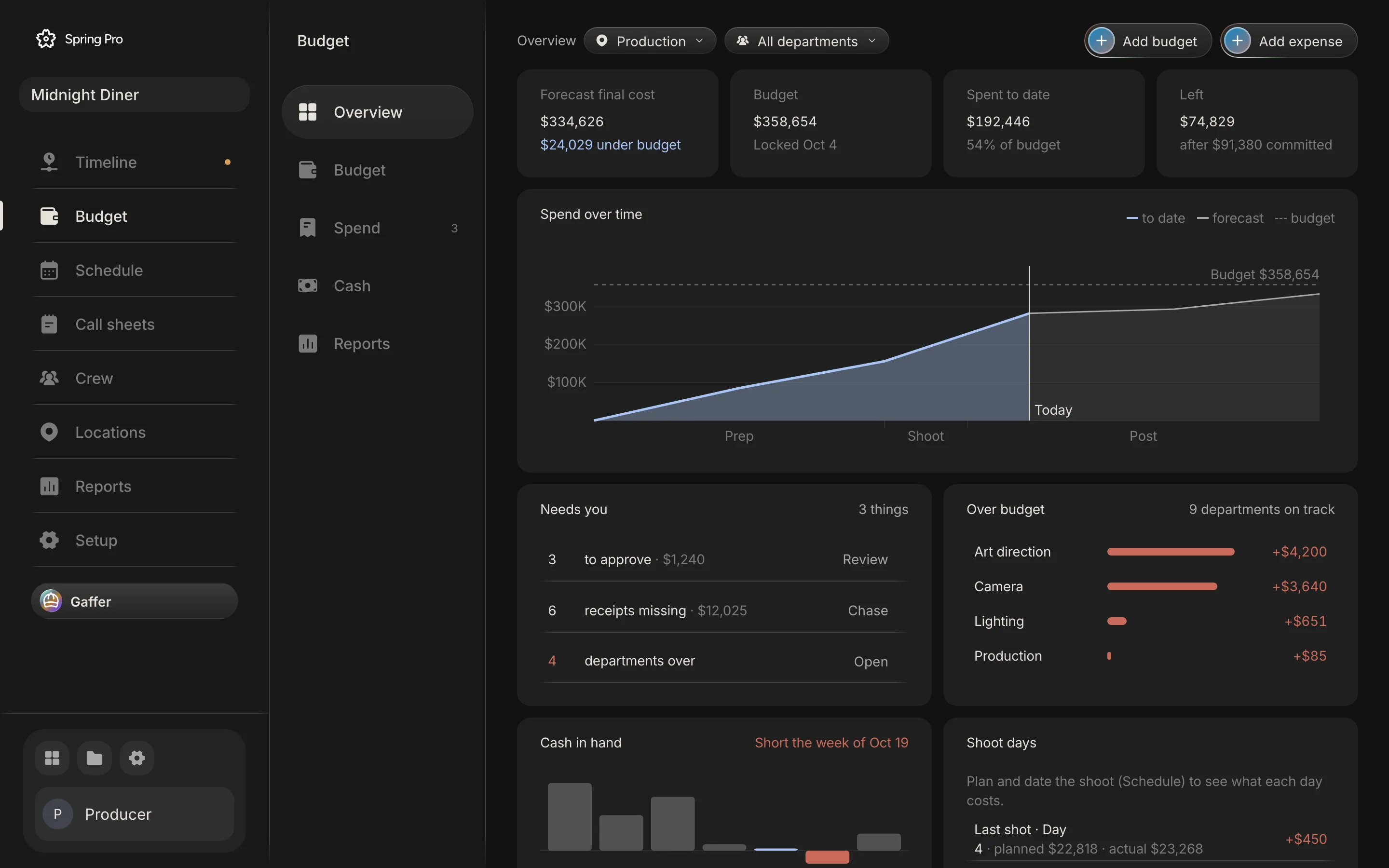
Every screen on this page is Spring Pro running a real production, Midnight Diner: 7 scenes, 4 shoot days, 44 people, a $358,654 budget.
See the film
before you shoot it.
The script is the root. Every scene becomes a frame, a shot list and a design, and every department works on the scene it belongs to.
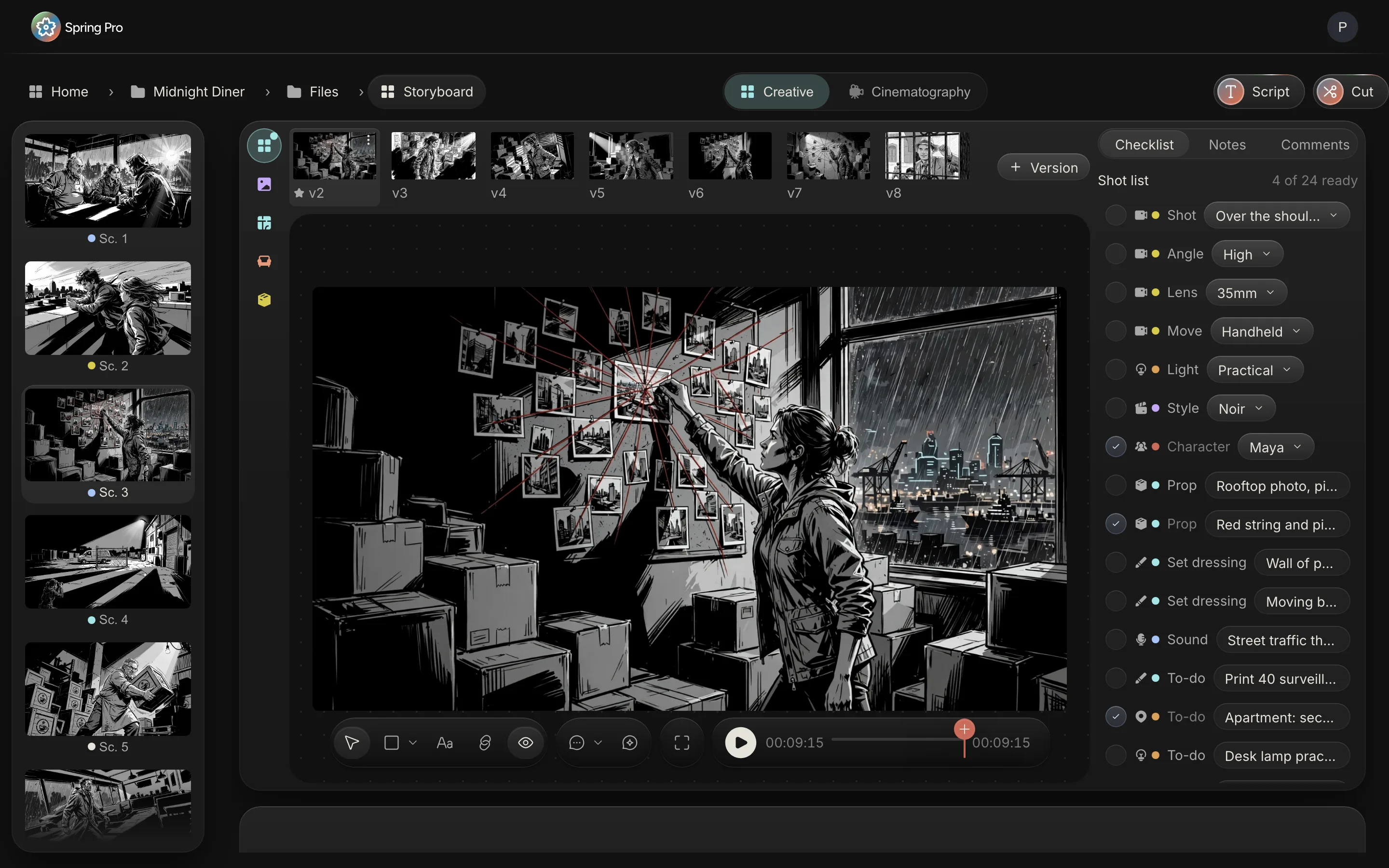
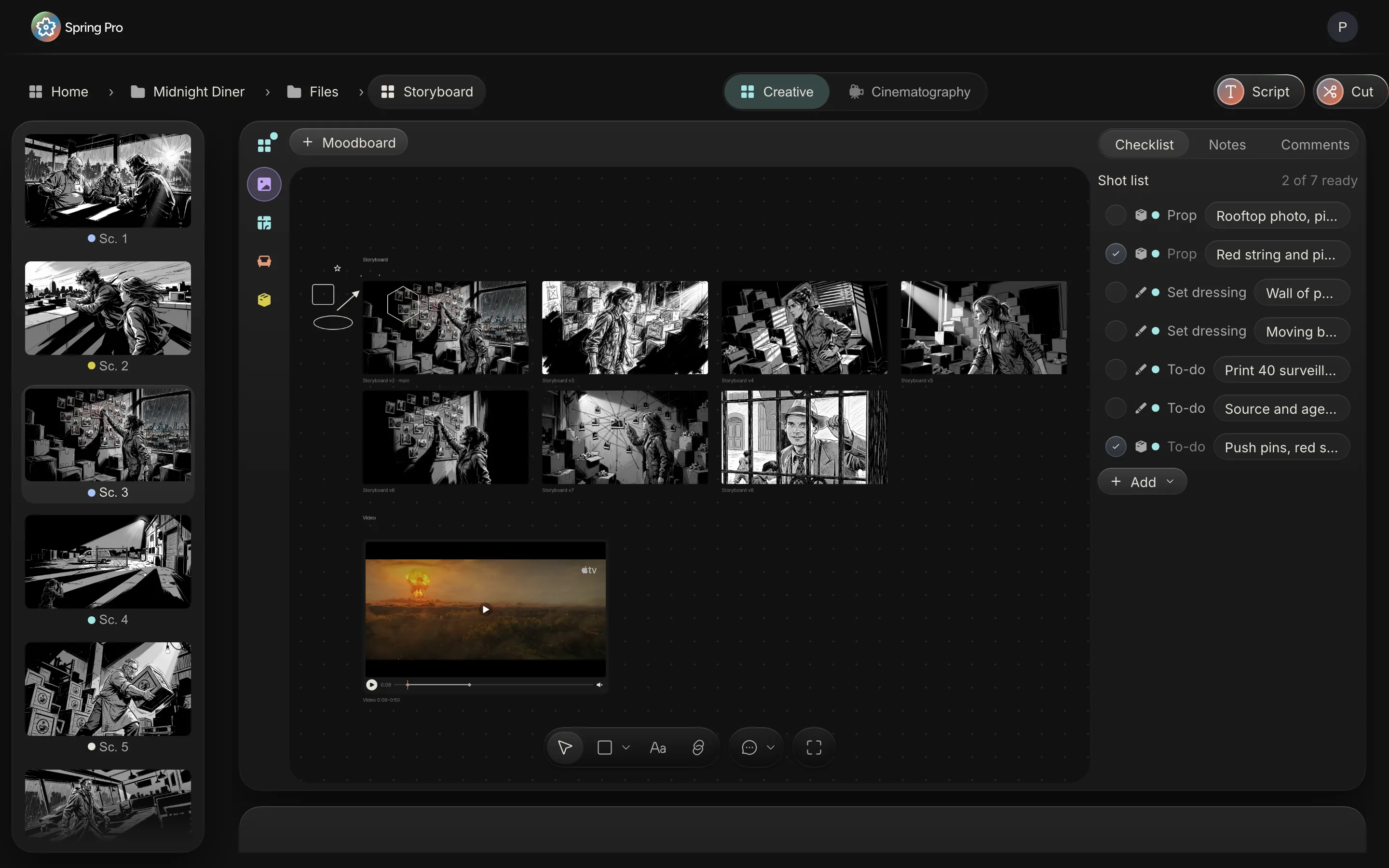
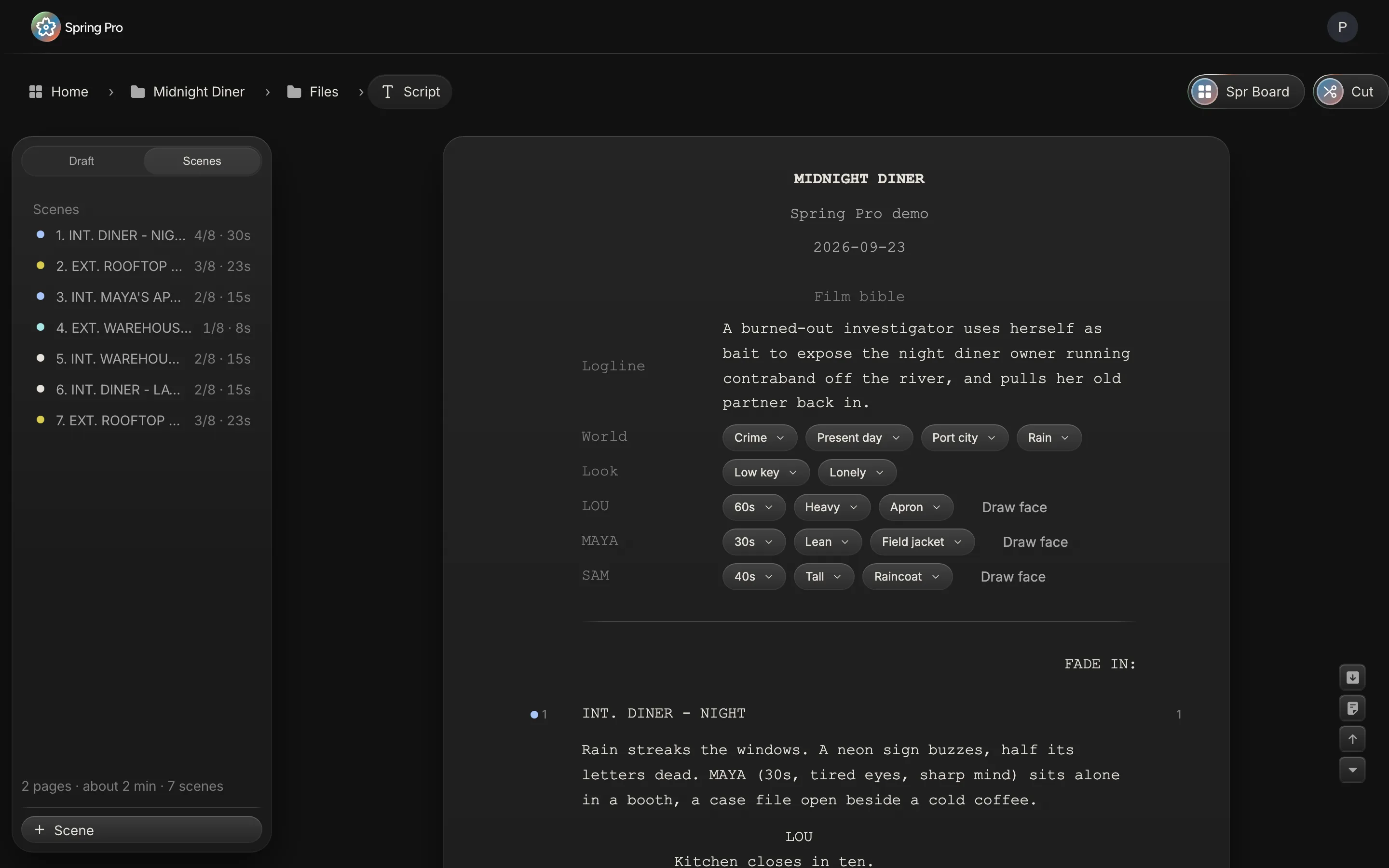
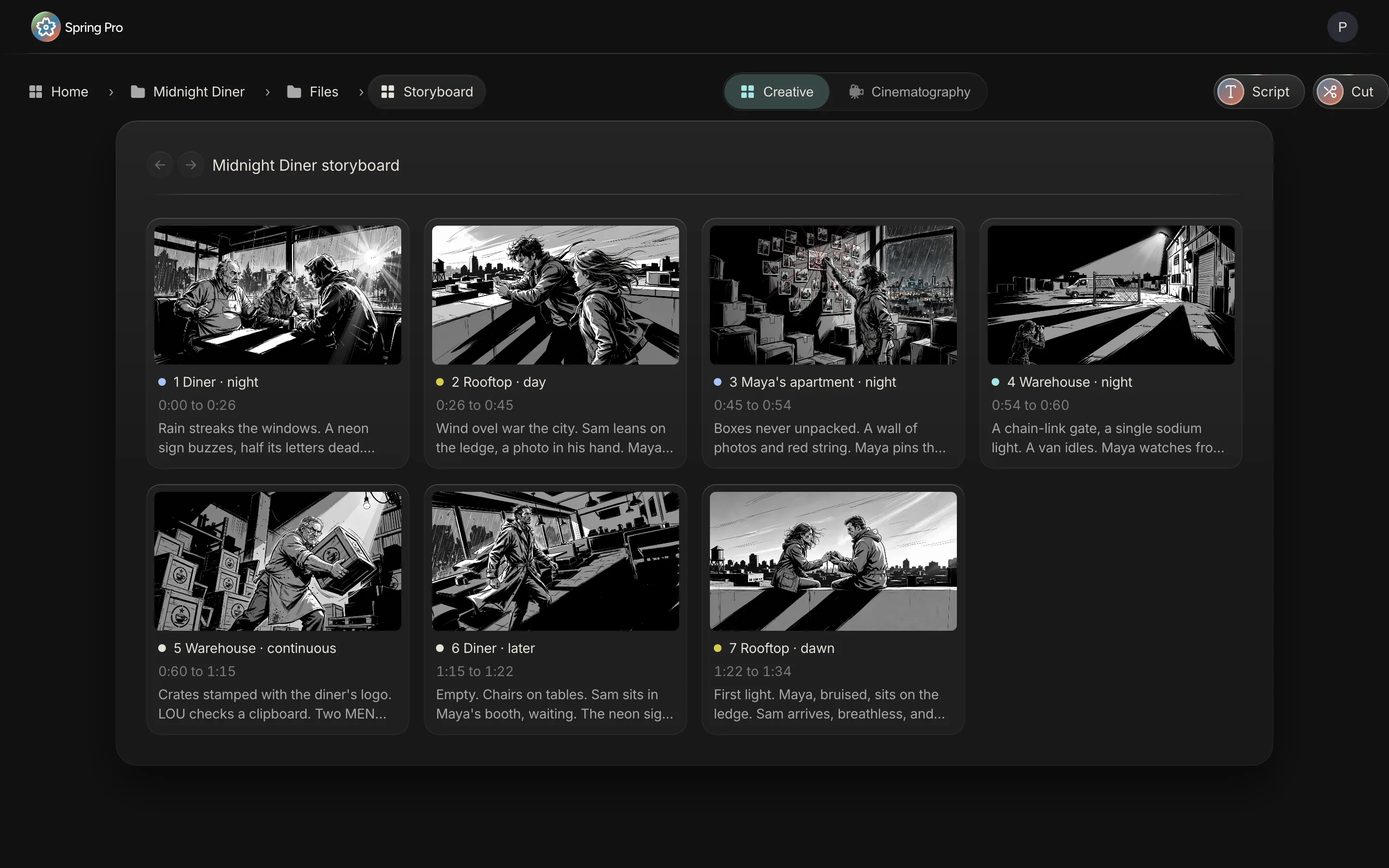
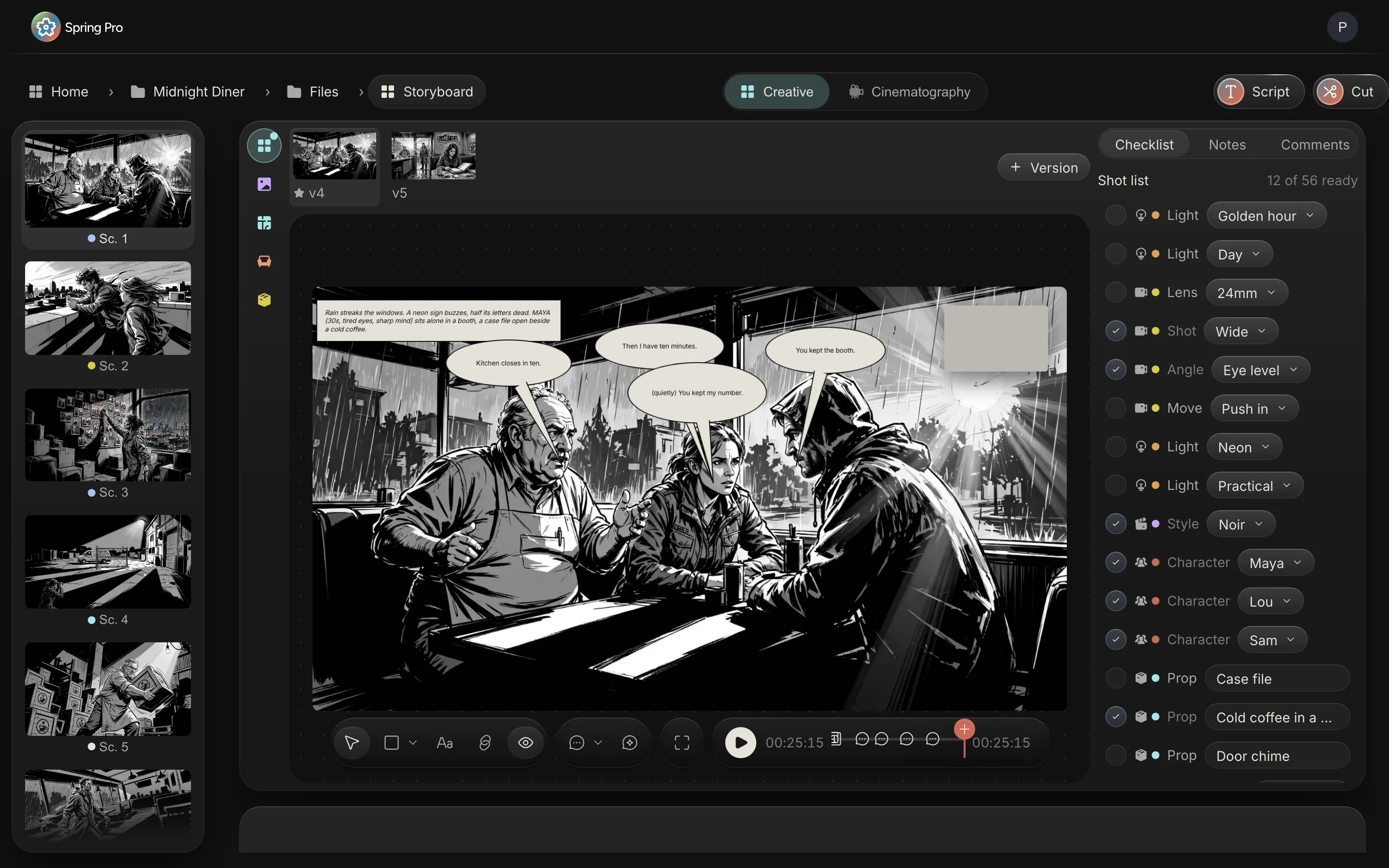
A real Hollywood page, with the film bible on top: the world, the look and every character, picked once and used everywhere.Every scene gets a frame, its dialogue in balloons, and a shot list: lens, light, cast, props, each a to-do for its department.Try the frame seven ways. Every version is kept, and one star picks the frame the film uses.Art collects the references on a free canvas, beside its own list of props and set dressing.The whole film at a glance, a frame per scene at its time. Press play and it runs as an animatic.
Then run the shoot
from the same pages.
Written once, in the script. The schedule, the call sheets, the crew and the money all read the same scenes, so a change in one shows up everywhere.
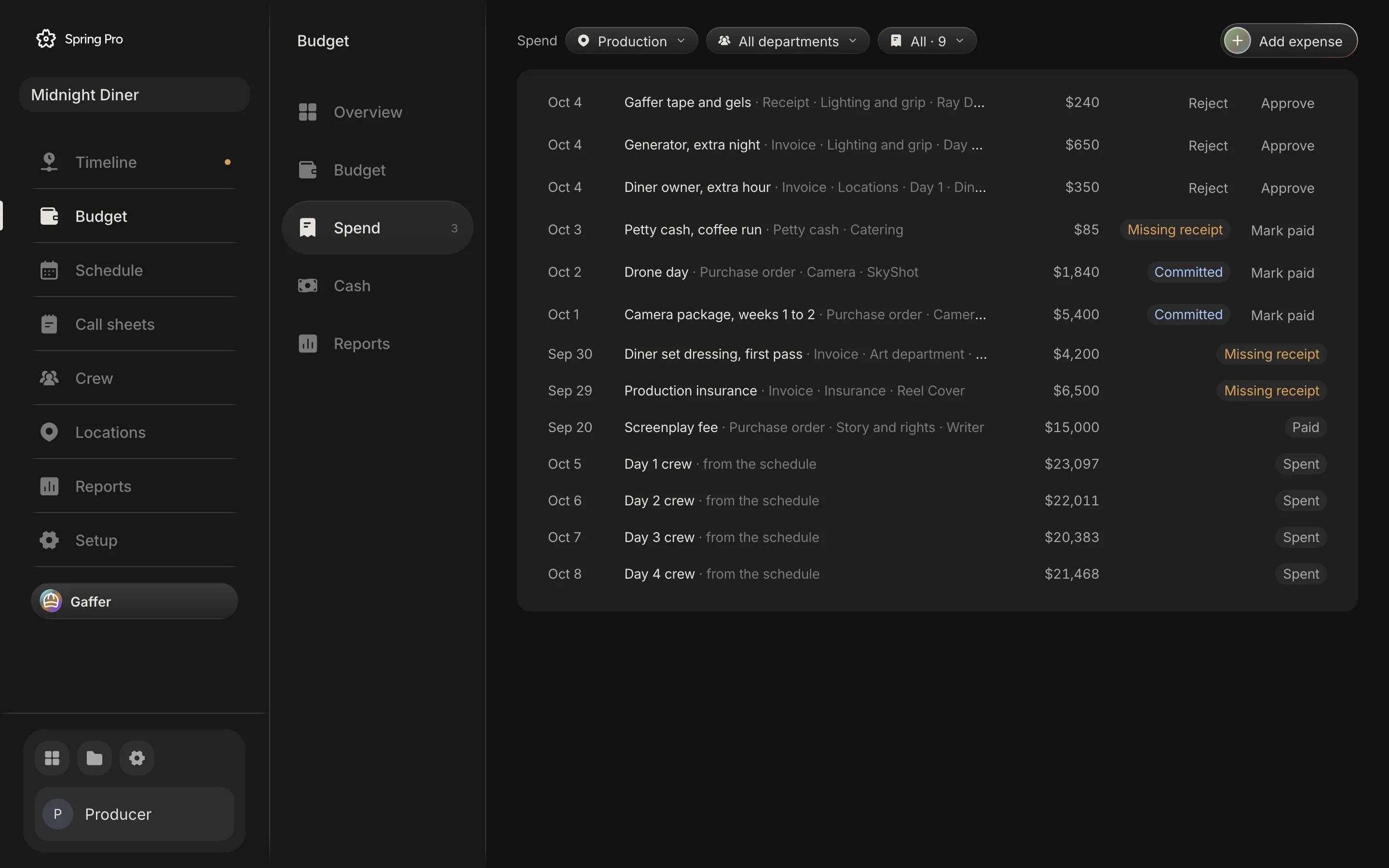
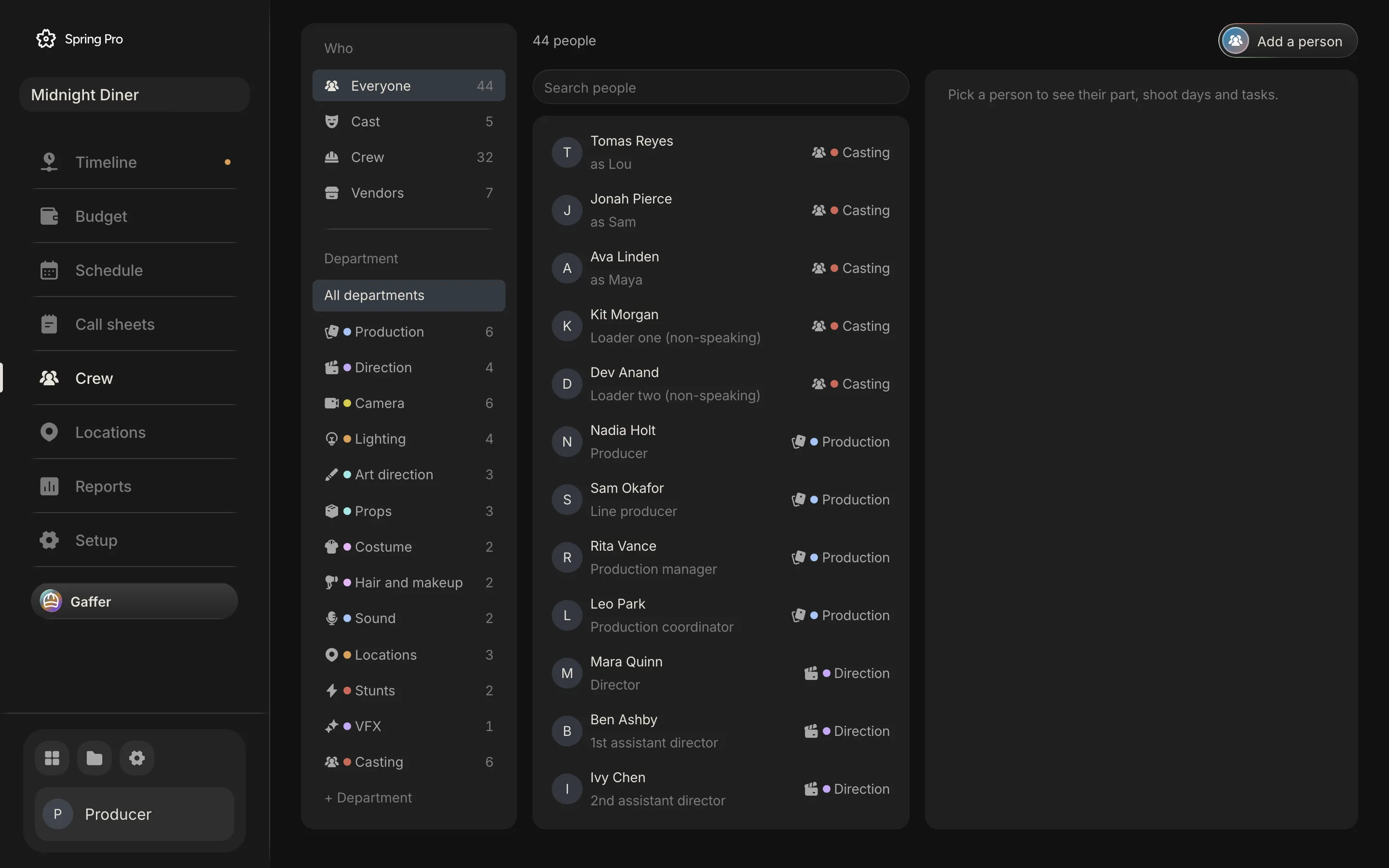
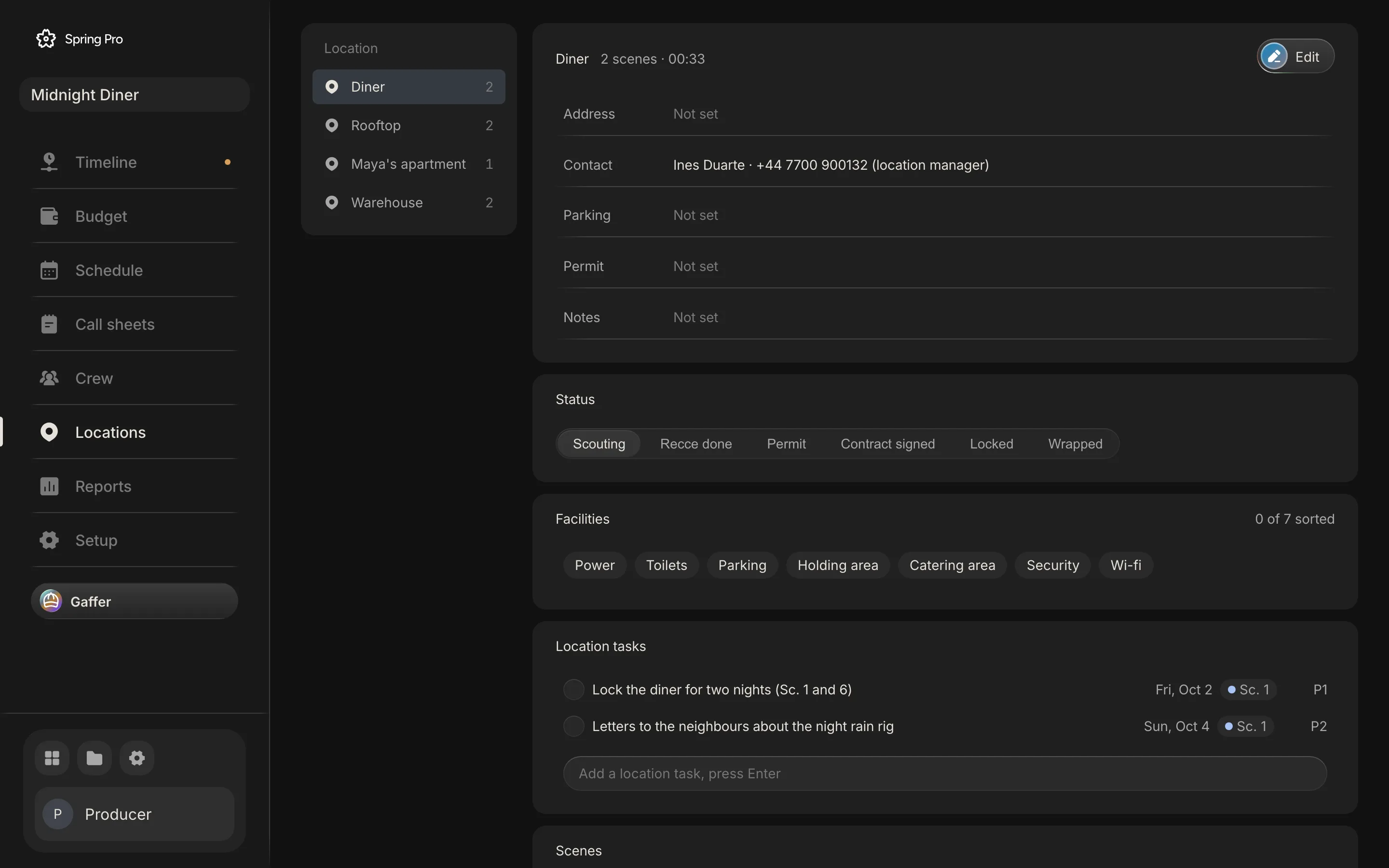
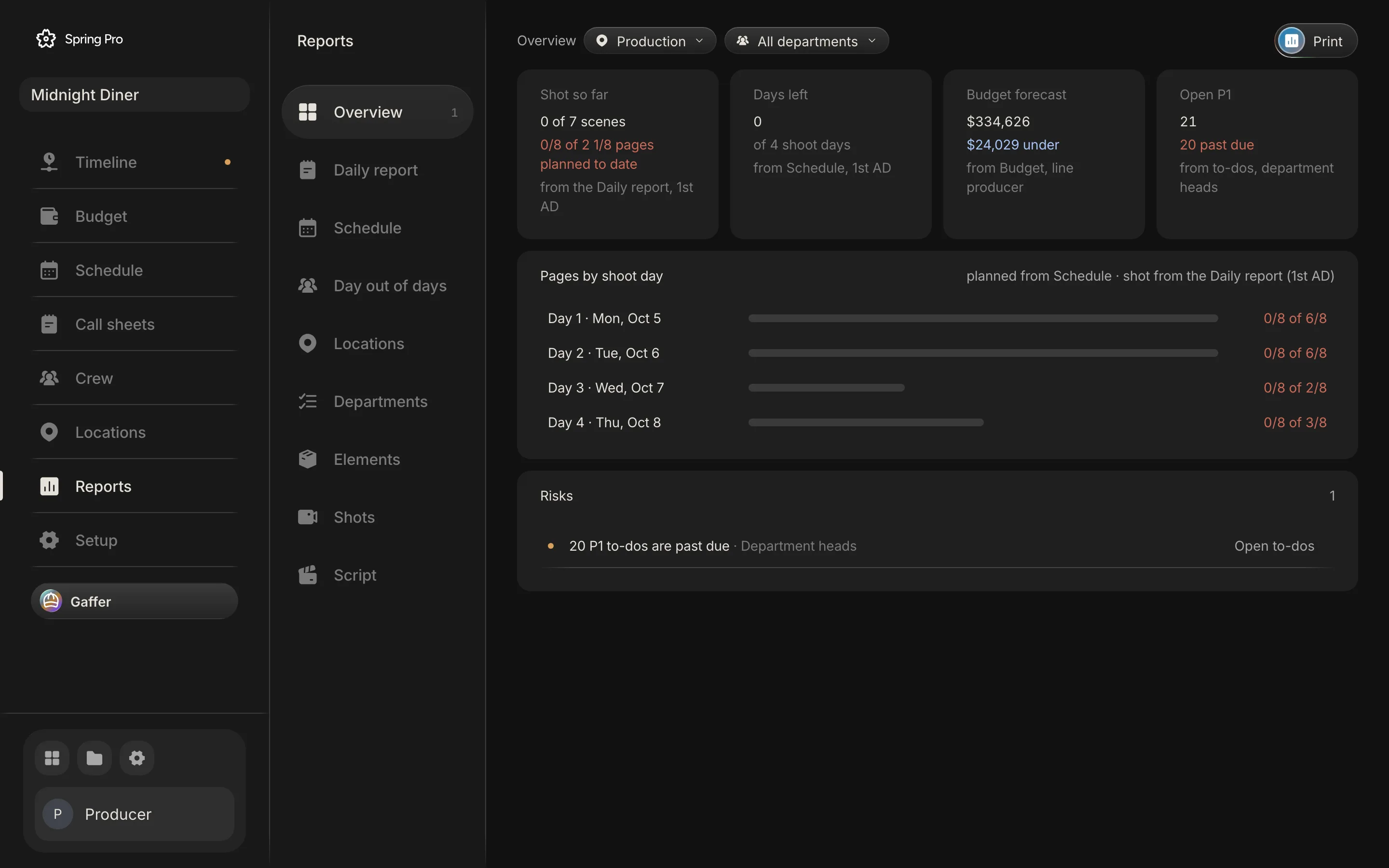
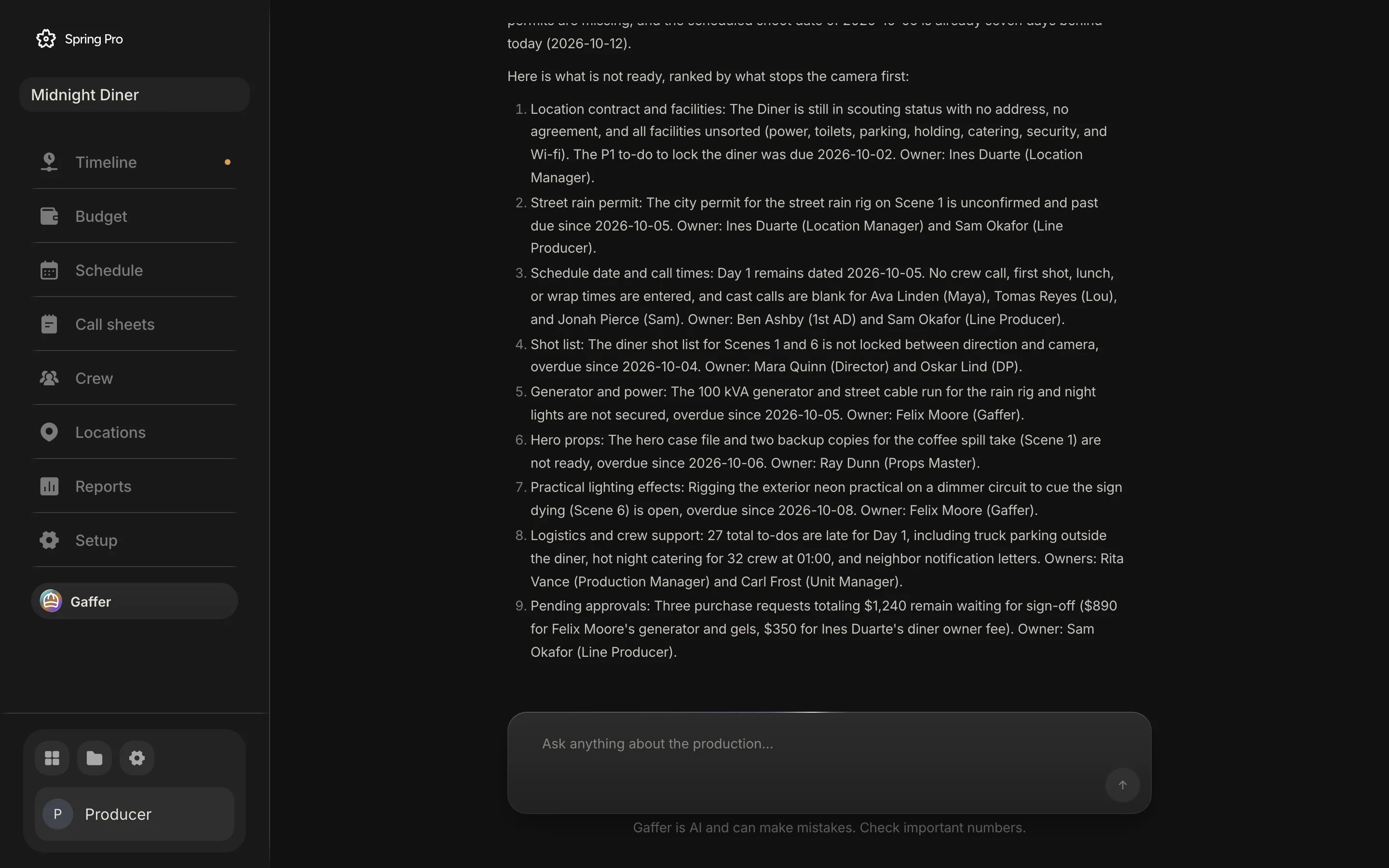
Scenes become shoot days. Every day shows its pages, its cost and what is not locked yet.Pick a day. Scenes, the location and each actor’s call fill in from the schedule.The forecast, the locked budget and what is left, with the departments running over.Every receipt, invoice and purchase order, approved or chased in one list.Cast, crew and vendors by department, with their deals and the parts they play.Each place from scouting to locked, with its contact, facilities and tasks.Where the shoot stands today, and the risks, each with the person who owns the fix.
The same project,
all the way to picture.
Most planning tools stop at the call sheet. In Spring Pro the animatic and the edit are in the same project, on the same scenes as the script and the board.
The film plays before it is shot. Frames at their scene times, with the dialogue, as an animatic.
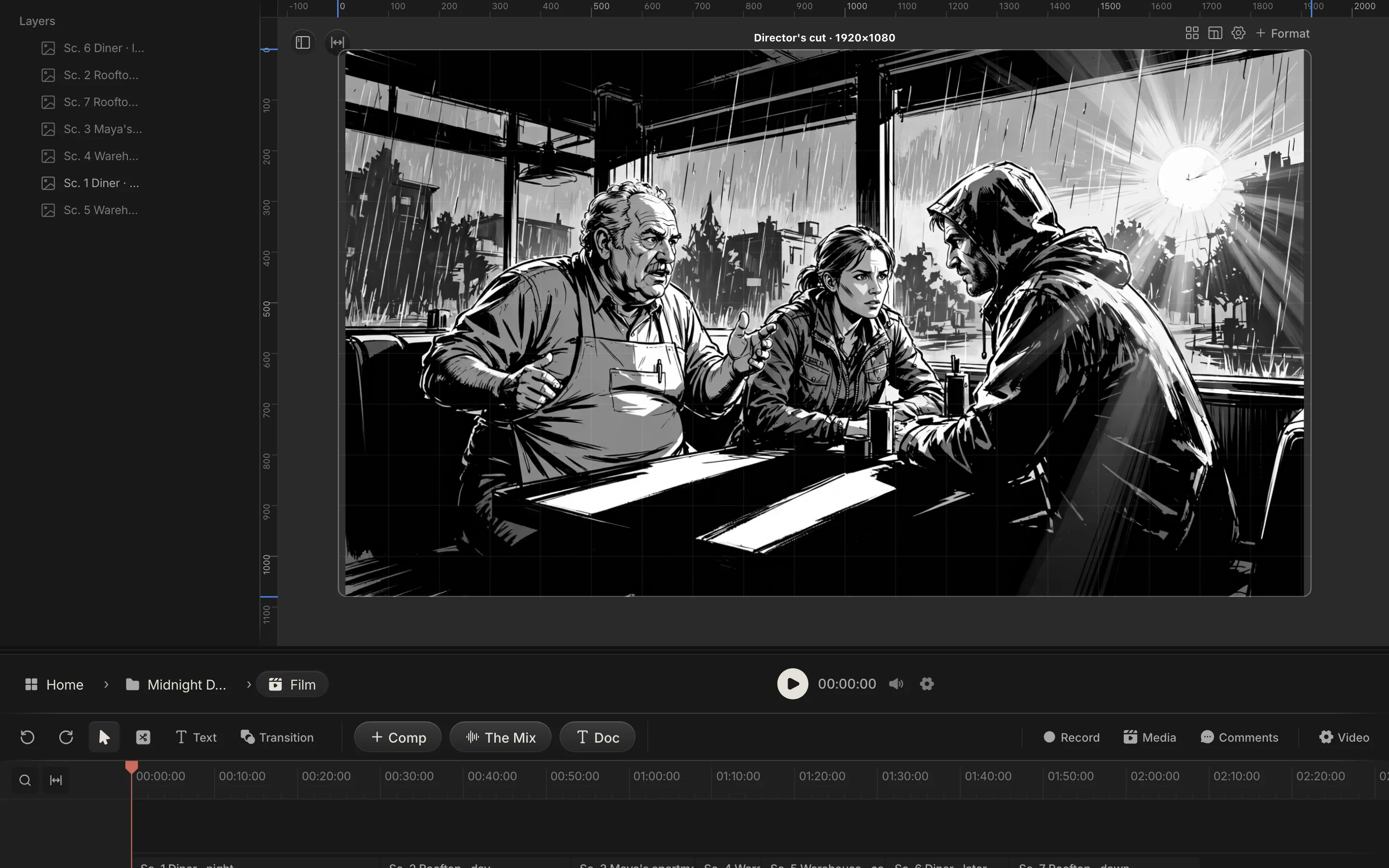
Cut it in the same project. The director's cut holds the footage, the titles and the motion.
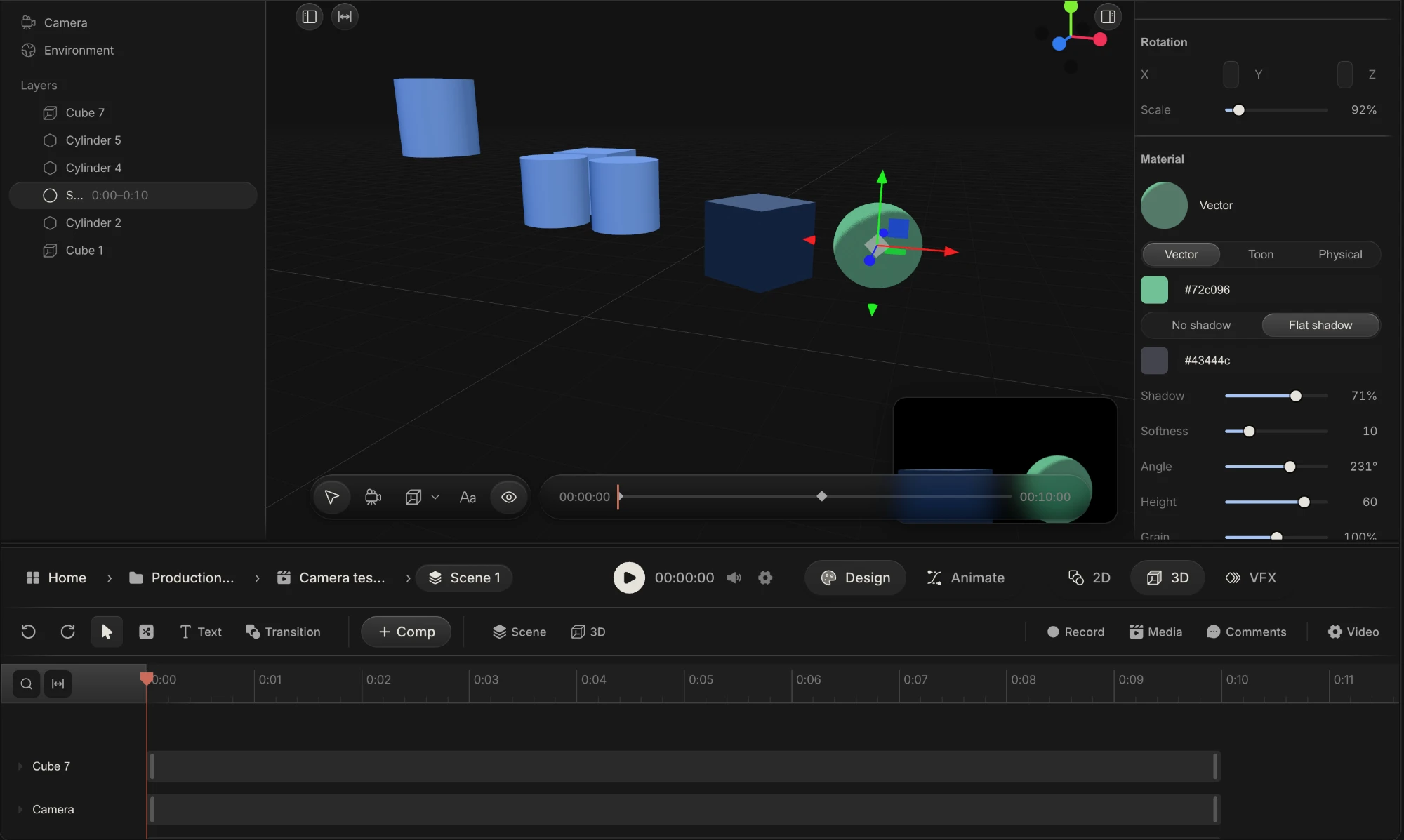
A 3D room inside the cut. Flat by default, real depth when the shot needs a camera.
An assistant that reads
the whole production.
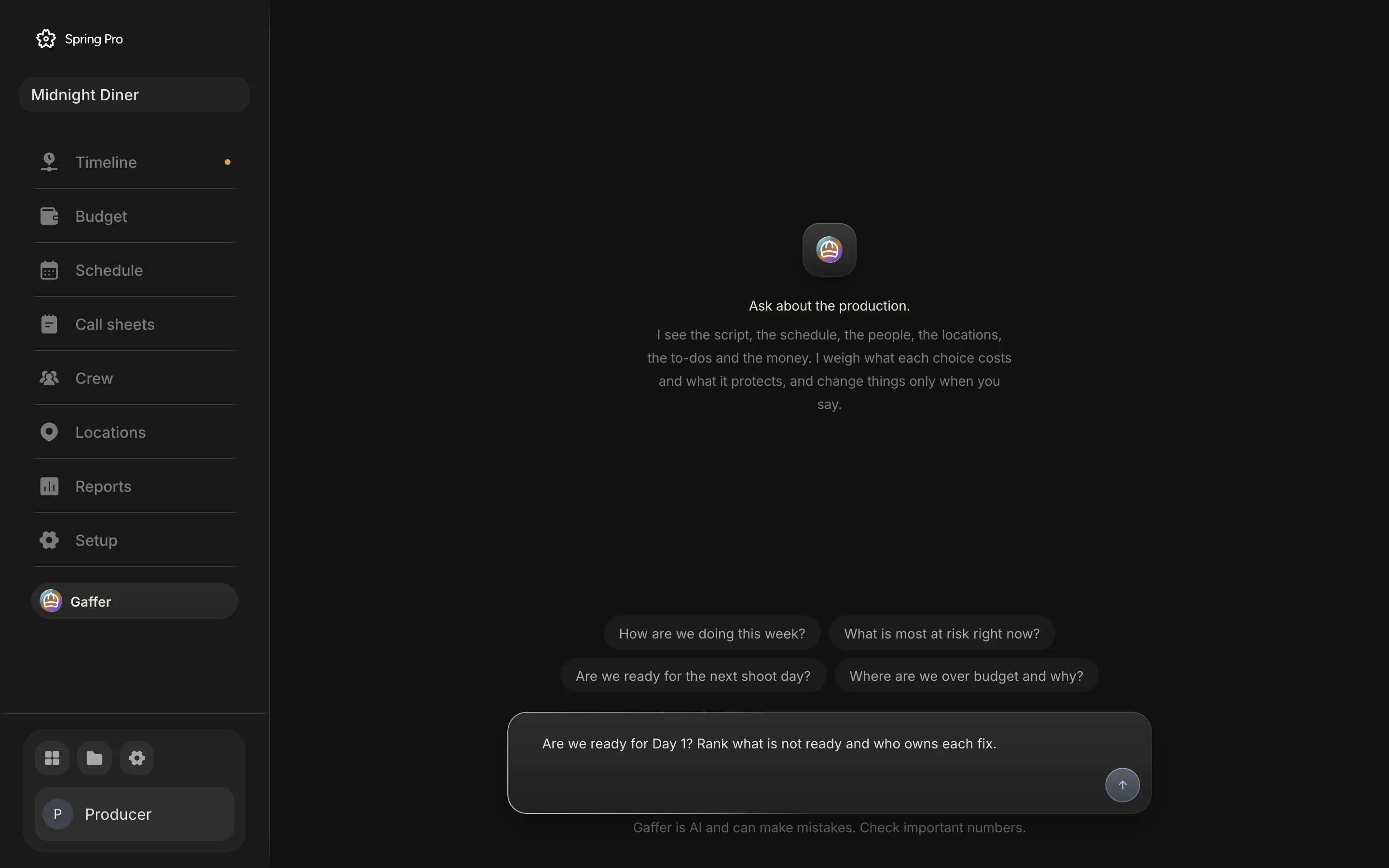
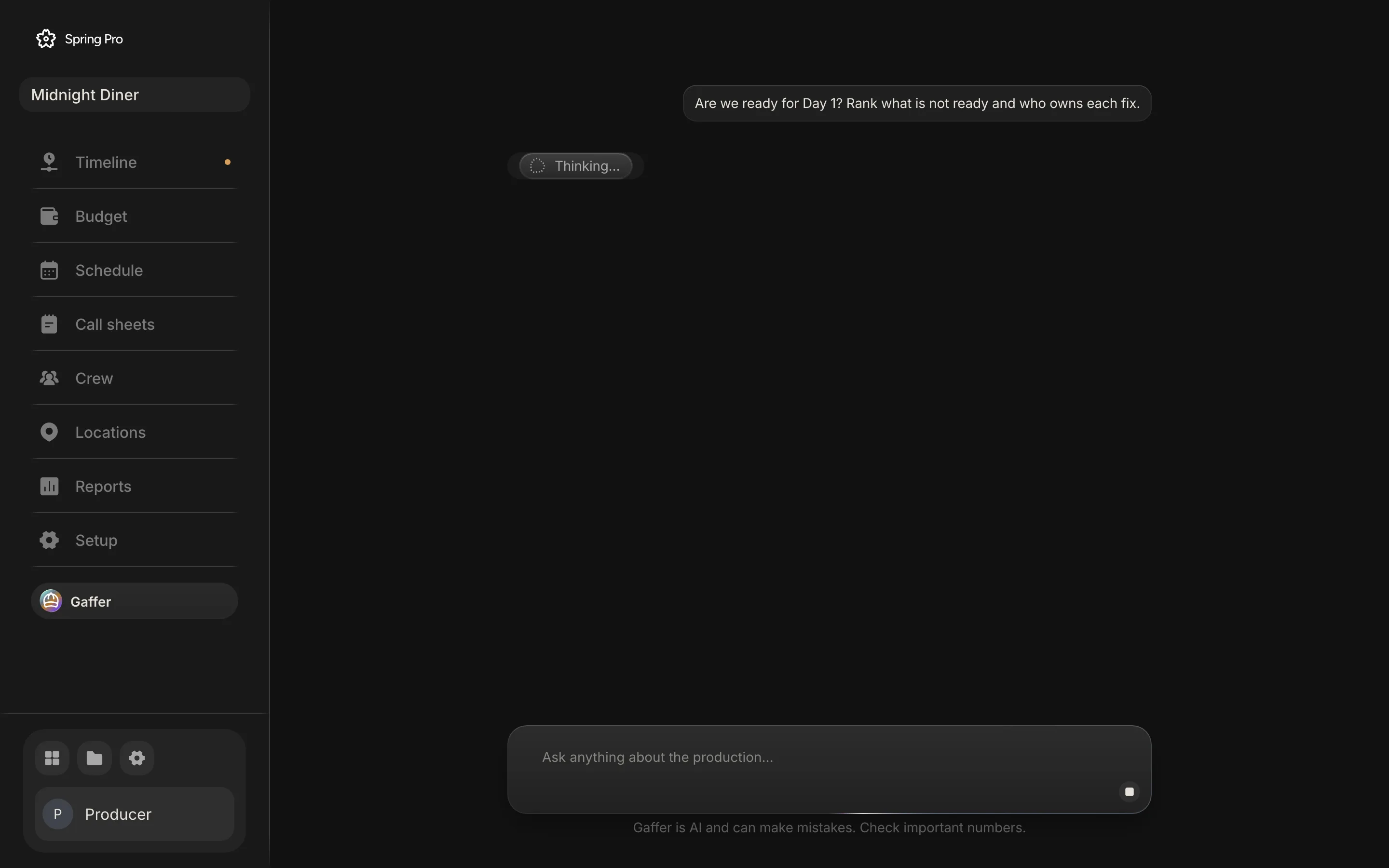
Ask "are we ready for Day 1?" and Gaffer answers from the schedule, the crew, the locations and the money. It changes nothing unless you ask.
Spring Pro is production management software for film and video: screenwriting, storyboards, script breakdown, the shooting schedule, call sheets, crew, locations and the production budget in one project. The producer, the line producer, the production manager and the 1st AD plan the shoot from the same scenes the writer wrote and the director boarded.
Because every part reads the same scenes, a script change does not mean retyping the breakdown, rebuilding the stripboard and reissuing call sheets by hand. Pages, shoot days, cast calls, day out of days and the cost of each day follow the script. After each day, the daily production report records what was shot, and the reports show the risks with the person who owns each fix.
When the shoot is done, the same project holds the animatic and the edit, so the storyboard frames, the footage and the cut stay on the same scenes. Teams moving from StudioBinder, Movie Magic Scheduling or spreadsheets bring their script in from Final Draft or Fountain and build the rest from it.
Start with the sheet,
see it on a real film.
Every template is a real sheet from Midnight Diner, downloadable as a CSV for Excel or Google Sheets. Every guide is worked on the same production.
One project instead
of four tools.
| Planning tools | Editors | Spring Pro | |
|---|---|---|---|
| Script, breakdown, schedule | |||
| Call sheets, crew, locations | |||
| An assistant that reads the whole production | |||
| Storyboard and animatic | |||
| The cut, motion and 3D |
Recording every camera on set is coming next, in the desktop app.
Producers, line producers, production managers and 1st ADs running a shoot, and the crew who work from what they set up. Short films to features.
Yes. Import Final Draft (.fdx) and Fountain files, or write in Spring Pro on a real screenplay page.
Your web browser, with nothing to install. A desktop app for recording on set is coming.
Only the people you add to the project.
No. It reads and answers. It changes the schedule, the crew or the budget only when you ask, and one undo takes it back.
Yes, for the planning: screenplay, breakdown, shooting schedule, call sheets, crew and locations. Spring Pro also holds the production budget, the storyboard, the animatic and the edit in the same project.
Yes. Reports include day out of days, the daily production report, the schedule, locations, departments, elements, shots and the script.
Create your account, bring your script, and the desk builds itself from the page.